1
Nokia M11 User’s Manual
System settings
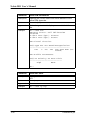
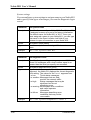
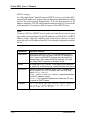
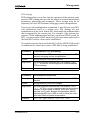
You can configure system settings to assign a name to your Nokia M11
and to specify what types of messages you want the diagnostic log to
record.
5-46
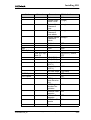
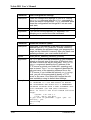
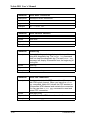
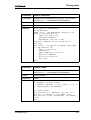
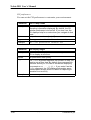
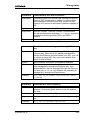
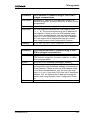
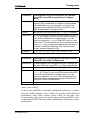
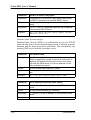
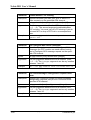
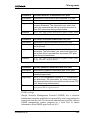
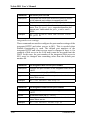
Command
Set system name
Description
Specifies the name of your Nokia M11. Each Nokia M11
is assigned a name as a part of its factory initialisation.
The default name for Nokia M11 is “M11”. Once you
have assigned a name to your Nokia M11, you can type
that name in the Open Location text field of your
browser to open a connection to your Nokia M11.
Syntax
set system name [name]
Arguments
name is an alphanumeric string of 64 characters maximum.
Example
M11> set system name M11
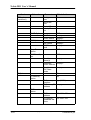
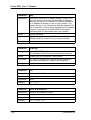
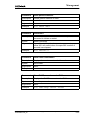
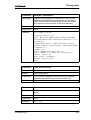
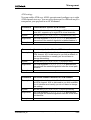
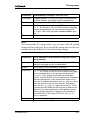
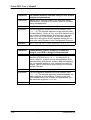
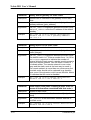
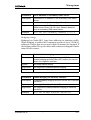
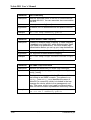
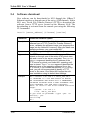
Command
Set diagnostic level
Description
Specifies the types of log messages you want M11 to
record. All messages with a level number equal to or
greater than the level you specify are recorded.
Syntax
set system diagnostic-level {level}
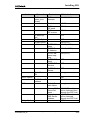
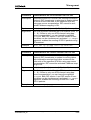
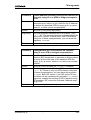
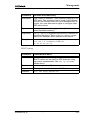
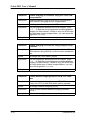
Arguments
If you enter the command without the optional level
argument, the Nokia CLI displays the current diagnostic
level setting. The values for the level argument are:
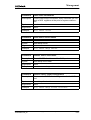
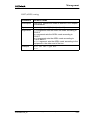
1 or low
Trivial status messages.
2 or medium Messages that can help
monitor the network traffic.
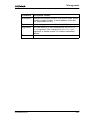
3 or high
Status messages that may be
significant but do not
constitute errors.
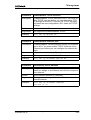
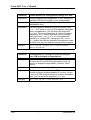
4 or warning Recoverable error conditions
and useful operator
information.
5 or failure Messages describing error
conditions that may not be
recoverable.
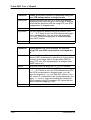
Example
M11> set system diagnostic-level 3
E Copyright Nokia Networks Oy
C33833001SE_00