1
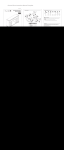
Operation Wessel-Werk EBK 340 Electric Power Nozzle To achieve the best results when cleaning carpet, slowly pass the power nozzle back and forth over the area to be cleaned. To clean hard surfaces simply move the power nozzle over the area to be cleaned with the vacuum on and the power nozzle on or off. It is best to avoid cleaning carpet fringes. When it is unavoidable, place the power nozzle over the carpet and pull it over the fringe onto the floor. Indicator Light The green lamp indicates that the nozzle is on and operating normally. The red warning lamp will light if the brush rotation is restricted. This can occur if an object causes brush speed reduction, thus overloading the drive motor. If this occurs: Operating Manual Wessel-Werk USA, Inc. 118 Overhill Drive Mooresville, NC 28117 704-658-0502 www.wessel-werk.com Turn off the vacuum cleaner and disconnect the power supply cord. Remove the object that is preventing the brush from rotating. Press the red reset button. (See illustration page 6) Reconnect the nozzle. IMPORTANT SAFEGUARDS When using an electric appliance, basic precautions should always be followed, including the following: Read all instructions before using this Motorized Nozzle. WARNING To reduce the risk of fire, electric shock or injury: Do not use outdoors or on wet surfaces. Do not leave nozzle when plugged in. Turn off the switch, place handle in up position and unplug the electric cord when not in use and before servicing. If the nozzle is not working as it should, return it to place of purchase. Do not allow to be used as a toy. Close attention is necessary when used by or near children. Use only as described in this manual. Use only manufacturer's recommended attachements Do not use with damaged cord or plug. If nozzle is not working as it should because it has been dropped, damaged, left outdoors, or dropped into water, return it to a service center before using. Do not: pull or carry by cord, use cord as a handle, close a door on cord, or pull cord around sharp edges or corners. Do not run vacuum cleaner over cord. Keep cord away from heated surfaces. Do not use extention cords or outlets with inadequate current carrying capacity. Turn off all controls before unplugging. Do not unplug by pulling cord. To unplug, grasp the plug, not the cord. Do not handle plug or nozzle with wet hands. Do not put any object into vacuum intake openings. Do not use with any opening blocked. Keep vacuum intake openings free of dust, lint, hair or any anthing that may reduce airflow. This nozzle creates suction and contains a revolving brush roll. Keep hair, loose clothing, fingers and all parts of body away from openings and moving parts. Do not place motorized nozzle on furniture or stairs as the brush roll may cause damage. Place nozzle on floor with the handle in storage position while using attachments. Do not pick up anything that is burning or smoking such as cigarettes, matches or hot ashes. Belt pulleys can become hot during normal use. To prevent burns, avoid touching the belt pulley when servicing the drive belt. Use extra care when cleaning on stairs. Do not use to pick up flammable or conbustible liquids such as gasoline, or use in areas when they may be present. Store your nozzle indoors in a cool, dry area. Keep your work area well lighted. Unplug electrical appliances before vacuuming them. SAVE THESE INSTRUCTIONS Cleaning Replacement Parts It may happen that your agitator brush becomes blocked or less effective. This may be caused by excessive hairs and threads wrapped around the brush roller. ID Description Part # 1 NA 2 2 2 3 4 5 6 7 8 9 10 11 11 12 13 14 NA 15 NA Cord- Coiled Strain Relief w/Screws Cover-No Light-Black Cover-No Light-Lt Gray Cover -w/Light-Black Circuit Board 120V 250W Brush Roll complete Ballast 120V Base Complete - Black Std. Neck w/button hole QDC Neck Belt - Cogged Light Starter and Tube Motor Cover (with light) Motor Cover (no light) Micro Switch Wheel - Rear w/Axle Wheel - Front w/Axle Motor Hardware Motor - 120V 250W Long Screw 10.1 163-300 10.9 011-307 10.9 011-336 10.9 011-335 10.9 011-315 10.9 011-314 10.9 011-323 19.1 005-300 10.9 011-300 10.9 011-316 10.7 028-300 19.1 016-300 10.9 011-317 10.9 011-318 10.9 011-304 10.4 015-300 10.9 011-308 10.9 011-309 10.9 011-310 10.9 011-319 9.2 720-04 Always unplug the nozzle from the power supply first. Cleaning the brush roller Insert the points of a pair of scissors into the brush roller slot (see illistration page 7). Move the scissors to catch the threads and hairs in the scissors. Cut the threads of hairs and remove them manually or using a small sized pair of pliers. Should your nozzle cease to pick-up debris: This can be caused by an obstruction in the intake and or neck of the power nozzle. This can be caused when excessively large or long debris, like paper or a sock, is lodged in the intake and/or neck area of the nozzle. Always unplug the nozzle from the power supply first. Clearing an Obstruction Remove the wand from the nozzle by depressing the button on the nozzle neck and pulling the nozzle and wand apart. Look into the neck and remove any visable debris. Look into the intake area of the nozzle and remove any visable debris. (See Illustration Page 7)