1
Now that you have an idea about LabVIEW and the Speedy-33 board, you are ready to
begin the experiment.
Hardware & Software Setup
For all the experiments using the SPEEDY-33 board, you will have to do the following
instructions at the beginning of each experiment.
•
•
•
•
Log on to the computer
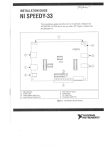
Connect a USB cable between the USB Port of the SPEEDY-33 and the USB port
of your PC. The SPEEDY-33 is powered by the USB port. Make sure that the
Power LED on the SPEEDY-33 is on.
Connect the speakers to the Audio Stereo Output Port on the SPEEDY-33.
The on-board microphones will be used as the input to the DSP board.
Once the setup of the components is finished, LabVIEW7.1 can get launched by doubleclicking on the National Instruments LabVIEW 7.1 Embedded Edition as shown in
Fig.2.
8