1
4.2 Operating modes
The machine is either in normal mode or slow mode. In both modes
the rollers can rotate in forward direction and in normal mode the
rollers can also rotate in reverse direction.
4.2.1
Normal mode
When slow mode is not selected, the rotation speed of the rollers is
set by the speed control knob (normal speed). Reducing the
processing speed in general results in a better laminating quality.
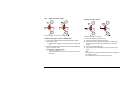
Start rotation by pressing the forward button or the footswitch.
Rotation stops when a stop button is pressed or the footswitch is
released.
Note:
To return control from the footswitch to the control panel without
stopping, press and hold the forward button, release the
footswitch and then release the forward button.
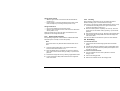
An interruption of the light beam of the optical safety device in front
of the rollers will also stop the rotation of the rollers. To continue
after the interruption is taken away, the process must be started
again.
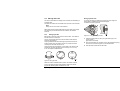
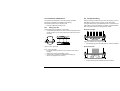
Reverse
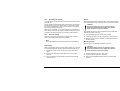
Press and hold the reverse button to rotate the rollers in the reverse
direction. The speed is fixed to the slow mode speed.
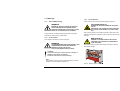
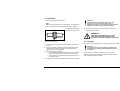
WARNING:
KEEP CLEAR OF THE REAR SIDE NIP WHEN
RUNNING IN REVERSE MODE.
The rear side has no finger protection. When running in reverse, the
optical safety device at the front side nip is ignored. An audible
signal is heard to warn you for posible danger.
14
4.2.2
Slow mode
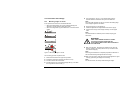
Enter or leave Slow mode by pressing the slow mode button for 1
second. The selection is indicated by the slow mode indication LED.
Entering slow mode will not change anything to the current
movement of the rollers. In slow mode the rollers can run at normal
or at slow mode speed.
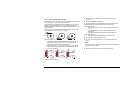
Normal speed
Press the forward button in slow mode to run at a normal speed
determined by the speed control setting (see normal mode).
Slow mode speed
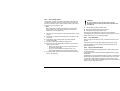
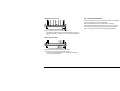
Press and hold the footswitch in slow mode to force the rollers to
run forward at a fixed low speed (see specifications) independent
from the speed control.
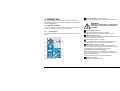
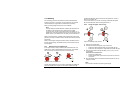
WARNING:
KEEP CLEAR OF THE NIP WHEN RUNNING AT
SLOW MODE SPEED.
When running at slow mode speed, the optical safety devices are
ignored and an audible signal is heard to indicate danger.
When the footswitch is released, the forward rotation is stopped.
Note:
To change from slow mode speed to normal speed without
stopping, press and hold the start button, release the footswitch
and then release the start button.
Pressing the footswitch again will slow down rotation to slow mode
speed again.
Operating