1
Super Snake
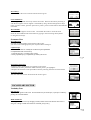
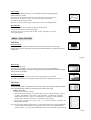
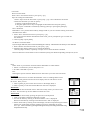
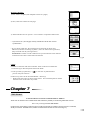
The snake is controlled by arrow keys - once a direction is pressed, it keeps going until
another direction is pressed.
The snake cannot hit itself or the wall. It grows bigger when fruit is eaten.
Each level has 10 pieces of fruit. In order to move to the next level,
you must eat all the pieces of fruit.
There are 5 levels, and the speed of the snake is faster in each higher level.
Brick Breaker
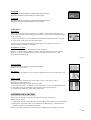
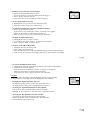
You use the paddle to hit the ball and remove all the bricks.
Use the arrow buttons to control the paddle.
There are 5 levels. If you fail to hit the ball 3 times, the game is over and
a new game begins.
SKILL / PDA CENTER
Skill Zone
Keyboard Tutor
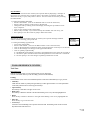
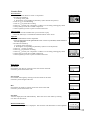
Scroll down the document and follow the instructions given in the tutorial pages.
(With some pages, there will be places to click on the screen that will show you pictures to help you
understand.)
25
Hyper Typer
Find your typing speed.
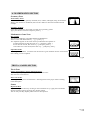
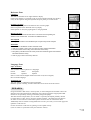
Type the given paragraph. As you type the words, any errors are highlighted.
At the end of the paragraph, a summary screen appears showing the total number of characters typed
and your accuracy percentage.
Keyboard Conveyor
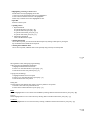
A conveyor belt appears on the screen. Letters start rolling out on the belt.
You must type the letters as they appear and stop them from falling off into the bin.
PDA Zone
Address Book
This special feature offers a comprehensive and convenient way to store important telephone numbers
and contacts. Depending on memory, a maximum of 96 contacts can be stored.
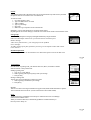
• Adding a new entry
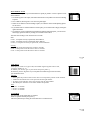
1. Select "New" from the title bar.
2. The flashing cursor appears in the name field. Type in a name and press [ Enter ]
or [Tab]. The flashing cursor moves to the next field. Complete the remaining
fields in the same way. (There is a maximum of 15 characters in the telephone
number field.) Use the scroll bar to view further down the page.
3. Click [ Save ] on the screen or press [ Ctrl ] + [ S ] to save the entry or [ Cancel ] to
disregard any changes.
Note: Only the name field must be filled in. All the other fields can be skipped and filled
in later. Move between fields by clicking the cursor arrow in the desired fields or
pressing [ Enter ] or [ Tab ]. The Address Book can store a maximum of 96 contacts.
26