1
The VDM++ to Java Code Generator
2
The Code Generator - Getting Started
To get started using the Code Generator a VDM++ specification should be written in
one or several files.
In the following, the VDM++ specification of a class DoSort will be used in order to
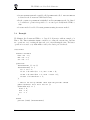
illustrate the Java Code Generator. The specification is listed in Appendix D.1 and it
can be found in file Sort.rtf provided in the distribution. In Section 2.1 it is explained
how to generate Java code for the VDM++ DoSort class using the VDM++ Toolbox.
In Section 2.2 it is explained how to write an application on top of the generated Java
code. In Section 2.3 it is shown how to compile and run the application.
It is recommended that readers go through the steps described in Section 2.1 to 2.3
on their own computer.
2.1
Generating Code Using the VDM++ Toolbox
We will now describe how to use the VDM++ to Java Code Generator from the graphical user interface of the VDM++ Toolbox.
Having started the VDM++ Toolbox, a new project should be created the Sort.rtf
file. Before generating Java code, it has to be ensured, that the VDM++ specification
satisfies the necessary requirements:
• All files of the VDM++ specification in a project must have successfully been
syntax checked in order to generate correct code for any selected class.
• Moreover, the Code Generator can only generate code for classes which are type
correct.1 If a class has not been type checked before and one tries to generate
code for it, it is automatically type checked by the Toolbox.
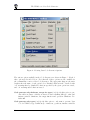
Syntax and type check the DoSort class as described in the User Manual for the IFAD
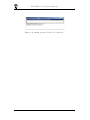
VDM++ Toolbox [UserManPP]. The result is shown in Figure 1.
1
There exist two classes of well-formedness as explained in [LangManPP]. In the current context
we mean possible well-formed type correctness.
2