1
76
Numerics
"
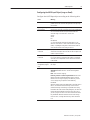
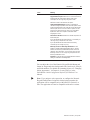
The control you assign must use an analog tag with a Floating
Point data type. If you use Device tags (for ControlNet or DH+),
the tag must specify a floating-point address in the programmable
controller. If you use RIO, the tag must be configured with a
Block Transfer File address. For more information see Chapter 6,
Defining Tags, in the PanelBuilder 1400e Configuration Software
for Windows User Manual.
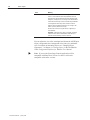
Note: If you use the Implicit option, the application will be
compatible only with PanelView Version 2 or later. The
application will not be compatible with earlier versions.
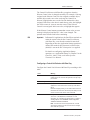
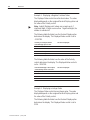
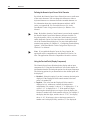
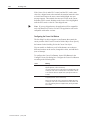
• Fixed Position specifies that a decimal point always appears in a
fixed position, and a fixed number of digits is always displayed
after the decimal point. You can specify the number of digits to
follow the decimal point.
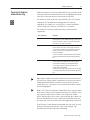
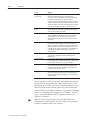
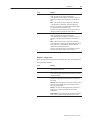
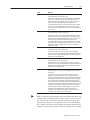
The number of digits after the decimal determines the minimum
number of digits in the value to be sent to the control. For
example, if the setting was for three digits after the decimal, an
operator’s entry would appear as follows:
"
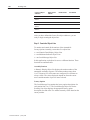
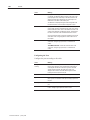
Digits Entered
Number Displayed
Keypad Numeric Input Value
(to PLC)
1
.1
100
12
.12
120
123
.123
123
1234
1.234
1234
12345
12.345
12345
ÁÁÁÁÁÁÁ
ÁÁÁÁÁÁ
ÁÁÁÁÁÁÁÁÁ
ÁÁÁÁÁÁÁ
ÁÁÁÁÁÁ
ÁÁÁÁÁÁÁÁÁ
ÁÁÁÁÁÁÁ
ÁÁÁÁÁÁ
ÁÁÁÁÁÁÁÁÁ
ÁÁÁÁÁÁÁ
ÁÁÁÁÁÁ
ÁÁÁÁÁÁÁÁÁ
ÁÁÁÁÁÁÁ
ÁÁÁÁÁÁ
ÁÁÁÁÁÁÁÁÁ
ÁÁÁÁÁÁÁ
ÁÁÁÁÁÁ
ÁÁÁÁÁÁÁÁÁ
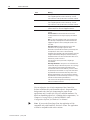
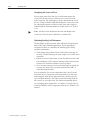
Note: Although you can configure up to 15 digits after the
decimal point, 10 or more digits may generate a Mistake message
on the PanelView terminal. PanelView converts the decimal
number into a signed long value, with a range of –2,147,483,648
to 2,147,483,647. If the converted number is outside this range,
the Mistake message appears.
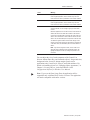
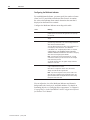
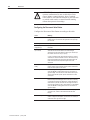
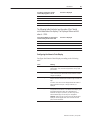
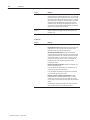
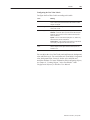
If the setting was for 15 digits after the decimal, an operator’s
entry would appear as follows:
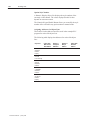
Digits Entered
Number Displayed
Keypad Numeric Input Value
(to PLC)
ÁÁÁÁÁÁÁ
ÁÁÁÁÁÁ
ÁÁÁÁÁÁÁÁÁ
ÁÁÁÁÁÁÁ
ÁÁÁÁÁÁ
ÁÁÁÁÁÁÁÁÁ
ÁÁÁÁÁÁÁ
ÁÁÁÁÁÁ
ÁÁÁÁÁÁÁÁÁ
0000000000000015
0.000000000000015
15
0100000000000015
0.100000000000015
ERROR
(100000000000015)
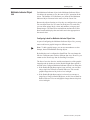
• PLC Controlled allows the PLC to set the number of digits to be
displayed after the decimal point.
Publication 2711E-820 – January 1998