1
SFRA45 User Manual
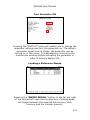
Location:
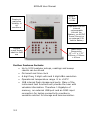
• Using the Left/Right arrow keys increase or
decrease the number until an “empty” location is
found.
Name:
• Using the alpha numeric keys
Action:
• Select “Store” then Enter. This adds “user data”
to the function menu, using the alpha numeric
keys (This will appear as the 3rd line of user data
on the systems user settings screen).
Execute:
• Select “execute” then Enter, data is now stored
8-19