1
36
5
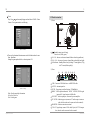
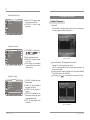
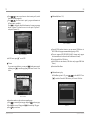
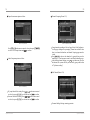
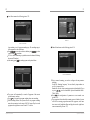
2) Analog program search
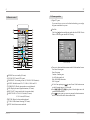
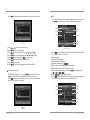
MENU : Enter or exit the menu.
Connect antenna of cable / air TV to ANT IN port.
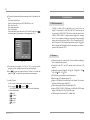
Enter TUNING menu to select AUTO to auto search channels.
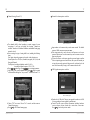
If you want to ignore the channel of strong interruption, you can select
CH. Skip to skip it.
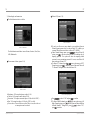
If you want to put the channels in order, select CH. Swap (for example:
you want put CH-8 in the place of CH-1, select CH-8
enter channel
setting menu select CH. skip change 8 into 1 press MENU).
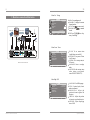
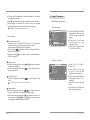
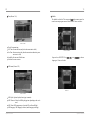
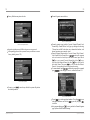
3.3 PIP function (PC status)
In TV or PC status, press PIP on the remote control, for a seconds a
small picture menu will appear on the top left (it also switch the sound).
You can press PIP to enlarge the picture menu, press again to resume
the normal size. Exit PIP function by fourth pressing.
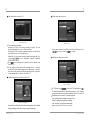
Adjust the position of PIP via
and
on the remote control (in
PIP status, support DTV/ATV/VIDEO/S-VIDEO input, not support
YPbPr input).
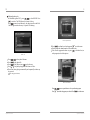
STILL
CH+/CH-: Channel (increase or decrease)/ menu (up or down).
INFO : Display the current channel information and the current menu
button information (DTV status).
RES : Switch VGA output resolution and refresh rate.
VOL +/ VOL -: Volume (increase /decrease) or menu (left /right).
OK : Confirm (DTV status).
PIP: Picture in picture function.
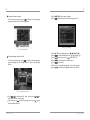
RADIO : TV/ RADIO switch in DTV status. ( Notice: only support the
program with radio reception).
STILL : Picture freeze/OSD move left (PIP status).
PIC.MODE : Bright/Standard/Mild/Preset switch(ATV status) or OSD
move right (PIP status).
EPG : Enter PRLIST/ favourite program selection (DTV status).
PRLIST : Enter the list or skip (DTV status).
SUBTITLE : Subtitle (DTV status).
TEXT : a.Display the current channel information
b.DEL key.
PLAY/PAUSE : Play/pause USB Media( DTV status).
FAV: Display the user-setting favorite list.
AUDIO : Sound switch (DTV status).
SEARCH : Area searching (DTV status).
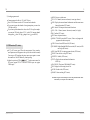
Note:Before using the remote control,please remove the plastic film on the remote
control battery to avoid poor contact of the battery.
Operation instruction
Introduction