1
English
3-6
Install IEEE 1394 Driver (Only for Windows XP SP2)
If you are using a Windows XP SP2-based computer, you need to install the Unibrain IEEE 1394 driver
from the motherboard driver CD when you want to connect IEEE 1394 devices to your system. The
steps below explain how to manually install the IEEE 1394 driver.
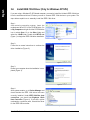
Step 1:
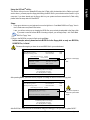
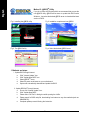
After entering operating system, insert the
motherboard driver CD in the CD-ROM drive. Go
to My Computer and right-click the CD-ROM drive
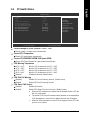
icon to select Open. Go to the Other folder and
select the 1394B folder. Double-click SETUP.exe
(Figure 1) to begin the IEEE 1394 driver installation.
Figure 1
Step 2:
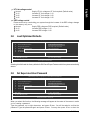
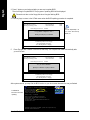
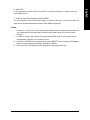
Follow the on-screen instructions to continue the
driver installation (Figure 2).
Figure 2
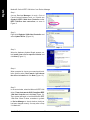
Step 3:
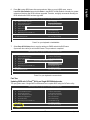
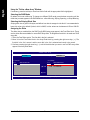
Restart your computer when the installation is completed (Figure 3).
Figure 3
Step 4:
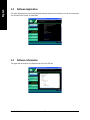
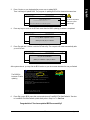
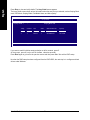
After system restarts, go to Device Manager and
check whether the IEEE 1394 driver has been
correctly installed. Under IEEE 1394 Bus host
controllers, you should see Gigabyte 1394b
Host Controller (Figure 4). If you see a yellow
exclamation or question mark, reinstall the driver
for the IEEE 1394 controller.
Figure 4
GA-K8NXP-SLI Motherboard
- 54 -