1
User’s Manual · PVR ST180
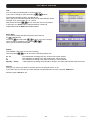
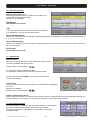
7.8. Version
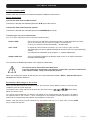
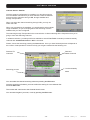
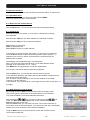
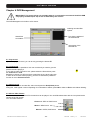
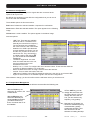
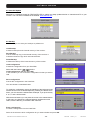
Here you get information about the hard and software from your receiver.
Manufacture
Model
Hardware
Loader
Software
FP
Software
CRC
Manufacture of the receiver.
Exact article name.
Revisions number from main PCB
Version for boot loader
Version for installed software
Version for VFD display
Beginning of the warranty time
Checksum of the EEprom
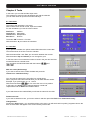
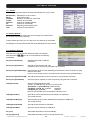
7.9. Factory Default
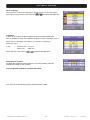
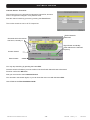
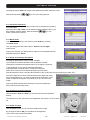
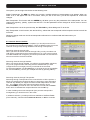
With this option you can restore the receiver totally to the status when
the receiver was used the first time.
Caution: Make this only if you are 100% sure, this step can is irreversible.
Recordings on the internal hard disk will not be damaged due to this action.
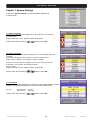
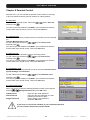
7.10. Software Upgrade
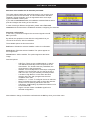
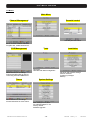
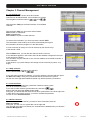
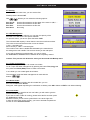
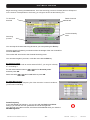
With this menu you can transfer data and install new software.
you can choose between the following
With the buttons
possibilities.
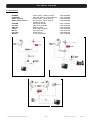
Serial port (Download)
Start data download via RS-232
connection.
Serial port (Upload-ALL)
Send all stored channels and main
software to other receivers by using RS-232 connection.
Serial port (Upload-Backup) Send the backup file (receiver database) and software to other receivers by using
RS-232 connection.
For this, the receiving receiver must have been executed a factory default before.
Serial port (Upload-UserDB) Send all stored channels to other receivers by using RS-232 connection.
Serial port (Upload-APP)
Send the receiver software to other receivers by using RS-232 connection.
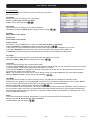
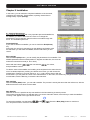
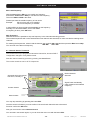
USB (Download)
Start the data download via USB.
Caution, on USB Stick can be only one receiver file.
Upload-ALL or Upload Backup create two files.
usbupdate_userdb_V1_0_27.bin
Database
usbupdate_V1_0_27.bin
Software
Both can be used but one must be delete manually on PC.
USB (Upload-ALL)
Send all the stored channels and main software to USB-Stick.
This create two files.
USB (Upload-Backup)
Send the backup file (receiver database) and software to USB-Stick.
This create two files.
USB (Upload-UserDB)
Send all stored channels to USB-Stick.
USB (Upload-APP)
Send the receiver software to USB-Stick.
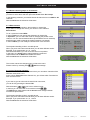
Air (now)
Starts data download via OTA immediately
Air (programmed)
Starts data download via OTA at a programmed time
Reserved of technical modifications and/or errors
- 32 -
PVR ST180
Version en_1.0
FTE maximal