1
filename[\\Win-35\logitecmo\422958711MDSJE640CED\01GB03OPE-CED.fm]
Other
Functions
This chapter explains other useful
functions that are available on the MD
deck.
masterpage:L0-Left
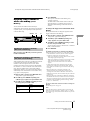
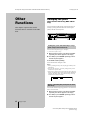
Changing the pitch
(Pitch Control Function) (MDS-JE640
only)
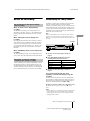
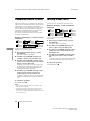
You can change the MD playing speed (pitch) when, for
example, you enjoy Karaoke. The tone rises at higher
pitches, and falls at lower pitches.
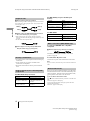
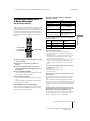
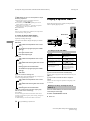
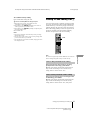
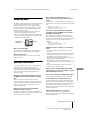
AMS
PITCH CONTROL
AMS
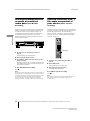
Setting the pitch automatically in steps
(Auto Step Control Function)
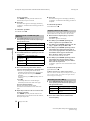
You can lower the pitch by up to 36 steps1).
1) One octave equals 12 steps.
1
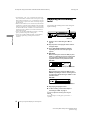
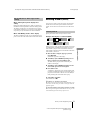
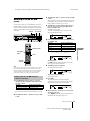
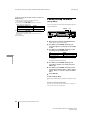
While the deck is playing, press PITCH CONTROL
repeatedly until “Pitch” appears in the display.
2
Turn AMS (or press ./> repeatedly) until the
desired step value appears.
To recall the factory setting
Press CLEAR while setting the value.
Notes
• When you change the step value, the playing sound drops out
momentarily.
• The step value returns to “0” (factory setting) when you turn
off the deck or eject the MD.
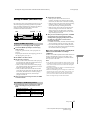
• When a dot (.) appears to the right of the step value in the pitch
display, this indicates that you have performed fine adjustment
(see page 40) and the pitch value is between steps. (The step
and fine control values are linked.)
Finely controlling the pitch (Fine Control
Function)
You can fine control the playing speed in 0.1% increments
from –87.5% to 0.0%.
40
1
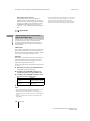
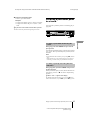
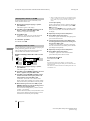
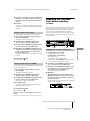
While the deck is playing, press PITCH CONTROL
repeatedly until “Pfine” appears in the display.
2
Turn AMS (or press ./> repeatedly) until the
desired step value appears.
Changing the pitch
model name1[MDS-JE640] model name2[MDS-JE440]
[4-229-587-11(1)]