1
Using JumpStart
Icon
Description
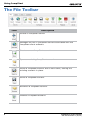
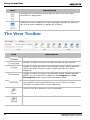
Fits the canvas to the current window.
Zooms the canvas 100%.
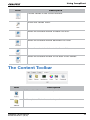
Moves the selected window forward one level.
Moves the selected window backward one level.
Moves the selected window to the front of the canvas.
Moves the selected window to the back of the canvas.
The Content Toolbar
Icon
Description
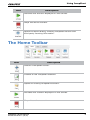
Adds a video file to the content panel.
Adds a picture file to the content panel.
JumpStart 2.0 User Manual
020-101155-03 Rev. 1 (03/14)
11