1
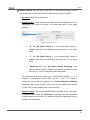
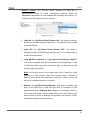
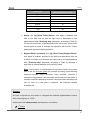
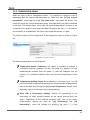
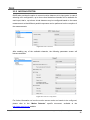
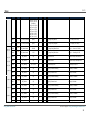
QUAD 1: QUAD will send the value “1” to the KNX bus through the “[Ix] [Sensor] Edge” 1-bit object. Switching 0/1: QUAD will send the values “1” and “0” alternatively with every rising edge, that is, a different value each time. Falling Edge: sets the action to be performed whenever a falling edge (i.e., the circuit gets open) is detected in the input line. The available options are analogous to those already described for the rising edge. Sending of “0” Delay: sets a certain delay time (in tenths of a second) that QUAD will wait for after the detection of the edge, prior to sending (through the “[Ix] [Sensor] Edge” object) the parameterised response in the particular case of being “0” the value to be sent. Should this response need to be immediate, this parameter must be set to “0”. Sending of “1” Delay: sets a certain delay time (in tenths of a second) that QUAD will wait for after the detection of the edge, prior to sending (through the “[Ix] [Sensor] Edge” object) the parameterised response in the particular case of being “1” the value to be sent. Should this response need to be immediate, this parameter must be set to “0” Periodical Sending of “0”: sets the cycle time (in seconds) for periodically sending the value “0” through the “[Ix] [Sensor] Edge” object after the detection of the corresponding edge in the input line. In case there is no need to send it cyclically, this field should be left equal to zero. Periodical Sending of “1”: sets the cycle time (in seconds) for periodically sending the value “1” through the “[Ix] [Sensor] Edge” object after the detection of the corresponding edge in the input line. In case there is no need to send it cyclically, this field should be left equal to zero. Lock: enables the “[Ix] Lock” 1-bit object, which, on the reception of the value “1”, locks the input line, so that any event that takes place is ignored (i.e., edges and alarm situations are not monitored anymore). Once the value “0” is received, the input is unlocked back. In that moment, depending on the current state of the line and on the state it had prior to being locked, the edge and alarm objects may be sent. http://www.zennio.com Technical Support: http://zennioenglish.zendesk.com 22