1
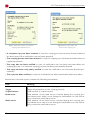
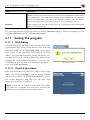
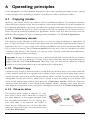
5.10 Termination of the copying process Field Meaning Verification errors Total number of the errors occurred during the verification run. This includes write and read errors as well as non-identical data during the comparison. This field is not shown, if no verification run was started. If the verification run has been aborted, maybe not all verification errors have been discovered due to the premature abort. Runtime Time required for the whole process, i.e. copying process and verification run (if executed). You can start another copying process by clicking [Another copy] or end the program by clicking [Quit HDClone] (5.11.2 Good-bye screen). 5.11 Ending the program 5.11.1 End dialog You can end HDClone at any time. Possibly open dialog windows have to be closed before. Click then the end symbol [X] (5.3.2 Operating field) in the upper right corner of the operating field (fig. 2) or press <ESC>. The end dialog appears (fig. 19) where you can quit HDClone by clicking [Yes] and return to the program by clicking [No]. Furthermore, you can cancel HDClone directly after a terminated copying process (5.10.4 Final report). fig. 19: End dialog 5.11.2 Good-bye screen After the termination of HDClone, either via the end dialog (5.11.1 End dialog) or via the dialog window with the final report (5.10.4 Final report), a goodbye screen appears (fig. 20). You can then shut down the computer or reboot it. Note: If you do not want to start HDClone when you start the computer the next time, remove the HDClone boot medium from the boot drive. fig. 20: Good-bye screen 39