1
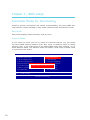
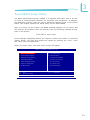
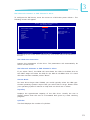
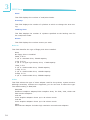
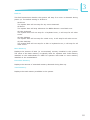
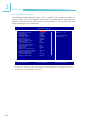
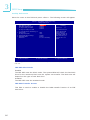
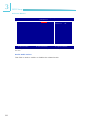
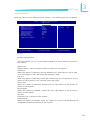
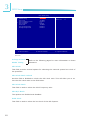
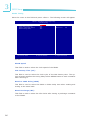
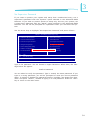
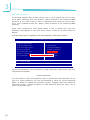
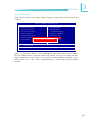
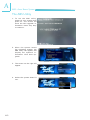
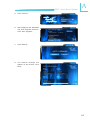
BIOS Setup 3 CMOS Reloaded The CMOS Reloaded submenu allows you to save different configurations and when needed, allows you to conveniently restore one of these previously saved configurations. Highlight CMOS Reloaded in the main menu then press <Enter>. Auto Save Bootable Setting Load Last Bootable Setting Enabled Load Phoenix - AwardBIOS CMOS Setup Utility CMOS Reloaded Item Help Menu Level Save Setting to Bank with Last Saved CMOS User Defined Setting Bank #1 Description Options Bank description Save to this bank Load from this bank Hotkey => 1 Description Options This item will immediately decide which setting will be saved to User Defined Setting Banks. The option is one of following: 1. Current BIOS setting 2. Last BIOS setting which already exists in CMOS. User Defined Setting Bank #2 Description Options Bank description Save to this bank Load from this bank Hotkey => 1 Description Options User Defined Setting Bank #3 Description Options Bank description Save to this bank Load from this bank Hotkey => 1 Description Options ↑↓→←: Move Enter: Select F5: Previous Values +/-/PU/PD: Value F10: Save F6: Fail-Safe Defaults User Defined Setting Bank #4 Description Options Bank description Save to this bank Load from this bank Hotkey => 1 Description Options ESC: Exit F1: General Help F7: Optimized Defaults The screen above list all the fields available in the CMOS Reloaded submenu, for ease of reference in this manual. In the actual CMOS setup, you have to use the scroll bar to view the fields. The settings on the screen are for reference only. Your version may not be identical to this one. CMOS Reloaded is especially helpful to overclockers who often go through the tiresome trial and error process of repeatedly changing the BIOS settings to come up with the most ideal overclocked setting. By being able to save and load the settings, it eliminates the tedious job of remembering several settings and/ or repeatedly resetting settings during the trial process. The settings are stored in the SEEPROM. SEEPROM is divided into 5 banks - the backup bank and the 4 user defined banks. 87