1
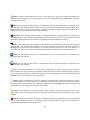
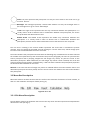
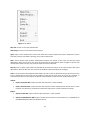
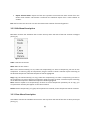
Actual Size. Return the normal scale of the value network. To return to normal scale click on the actual size icon or go to: View Æ Actual Size. Zoom In. Zoom in the value network. To zoom in the value network click on the zoom in icon or go to: View Æ Zoom In. Zoom Out. Zoom out the value network. To zoom out the value network click on the zoom out icon or go to: View Æ Zoom Out. Group. Grouping is the concept of logically associating components with one another. Grouping involves one or more vertices or edges. Once grouped, the group component may be moved and resized like a stand‐alone component. Click on the group icon or go to: View Æ Group. Ungroup. For the ungrouping of objects that previously has been grouped, is allowed the choice of ungroup button or alternative the following path: View Æ Ungroup. When the objects ungrouped, can behave independent the one from the other. 3.2 Vertical Toolbar Description The vertical toolbar contains all these elements that are essential for the designing of value network. In these elements are contained circles, rectangles, as well as, single and double arrows (see Fig.3). Figure 3. Vertical Toolbar [5]