1
PAUP 3.1 USER'S MANUAL
213
mainly useful only for archival purposes, as current versions of
PAUP and MacClade can process only the first TREES block in a
file.
For obvious reasons, this option is not persistent.
SET
The SET command is used to set a variety of options whose scope extends
beyond single commands. The syntax is:
SET option-specification … ;
The available options are as follows:
[NO]DISPLAY
NODISPLAY suppresses output to the "main display" (window or
terminal screen) and is useful when you want to send output to the
log file and/or printer only. DISPLAY reactivates the main
display.
At least one output destination must be active at all times.
Consequently, if no log file is active or the "echo to printer"
(ECHO) option is not set, output will be sent to the main display
even if NODISPLAY has been requested.
MSTAXA = { UNCERTAIN | POLYMORPH }
The MSTAXA option specifies how PAUP treats multistate taxa
(see "Multistate Taxa" in Chapter 2). This option is set at the time
the data matrix is processed (see description of the OPTIONS
command under "Commands used in the DATA Block" earlier in
this chapter). You can change the interpretation of multistate taxa
at any time by specifying MSTAXA in a SET command.
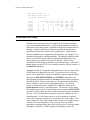
[NO]SEMIGRAPH
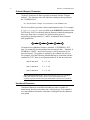
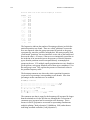
PAUP uses special characters in its internal font to draw trees and
other items. On the IBM-PC, these characters are nonstandard
"high ASCII" characters. On the Macintosh, these characters are
neither in the standard 128 ASCII characters nor in the set of
special characters normally included with Macintosh fonts. Thus,
although the trees look nice when drawn in the main display
window, they may not look right when printed on some printers.
Therefore, PAUP ordinarily translates these "semigraphics"
characters to standard ASCII substitutes when output is directed to