1
1
Using the Software
on the Windows Platform
Introducing the Software ............................................................ 2
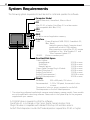
System Requirements ................................................................. 6
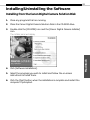
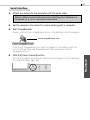
Installing/Uninstalling the Software .......................................... 7
Installing the USB Driver ............................................................. 9
Using ZoomBrowser EX the First Time
(From Loading to Printing) ..................................................... 11
Using Additional ZoomBrowser EX Functions .......................... 18
Displaying Images ................................................................ 18
Organizing Images ............................................................... 22
Erasing Images ..................................................................... 23
Saving Computer Images to a CF Card in the Camera ......... 24
Editing Camera Slide Shows ................................................. 24
Editing the Print Order Settings (DPOF) .............................. 25
Sending Images via E-mail ................................................... 26
Merging Panoramic Images with PhotoStitch ..................... 27
Editing and Applying Special Effects to Images .................. 28
Editing Movies ..................................................................... 29
Printing Images .................................................................... 30
Shooting with RemoteCapture ............................................ 33
Converting RAW Images ...................................................... 37
Restore the Database ........................................................... 38
Loading Images with TWAIN-Compliant Programs .................. 39
Using ArcSoft PhotoImpression ........................................... 39
Using Adobe Photoshop LE ................................................. 41
Using Adobe PhotoDeluxe Home Edition ........................... 43
Loading Images .................................................................... 46
Setting the Parameters (EOS D30 only) ............................... 48
Converting Raw Images ....................................................... 49
Troubleshooting the USB Driver Installation ............................ 52
Troubleshooting the Computer Connection ........................... 102
Customer Support ................................................................... 103
Windows
Camera and Software Compatibility ..................................... 5