1
Quartzdyne Q-Link Operating Manual September 2008
4.
Page 8
COMMUNICATIONS PROTOCOL
Any commercially available terminal emulator can be used to communicate with the Q-Link. The program
“LTalk.exe” available from Quartzdyne is specifically tailored for this use. The Windows program
“QConsole.exe”, also available from Quartzdyne implements all of the commands listed below with a
simple windows interface.
4.1
Command Structure
In the command documentation square brackets ([]) indicate optional parameters; a vertical bar (|)
indicates alternate parameters. Uppercase letters indicate literal expressions, lowercase letters indicate
data formats and italics represent data values and descriptions. The "¬" character indicates a CR-LF
sequence.
Commands are prefixed by the hash character (#) followed by two numeric digits, which indicate the
address. Up to four devices may be connected to each Q-Link. Because each device must have its own
unique address, the Q-Link will occupy a range of four consecutive addresses on the bus. For example,
if the Q-Link is set at address #01 (the default), its four devices can be accessed using addresses #01
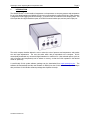
through #04. The connector on the left, labeled 'A', will be associated with the lowest address, and so
forth. Address #00 is an all-call, or global command; all Q-Link modules on the bus will execute the
command, but none will reply. If multiple Q-Link modules are to be used on the same serial port, their
addresses must include unique ranges. For example, a second Q-Link could be set to use addresses
#05-#08. The Q-Link base address may be changed by issuing the AD (set address) command. Please
refer to Section 4.6.1 for more details about the AD command.
Commands and responses are terminated by a CR-LF (¬) sequence. The null command (#nn¬) can be
used to repeat the previous command. The equal sign (=) is used to program a value. Data items within
a command or response are separated by commas (,). Multiple commands may be sent in a single
command line with each command separated by a semicolon (;). The responses will be comma
separated (see example). Braces ({}) are used to enclose commands that include CR-LF sequences
such as the contents of log data or a calibration file. Invalid commands or data respond with "ERROR
nn¬", where nn indicates the particular error (See Section 6). A typical command/response sequence is
shown.
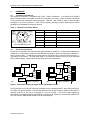
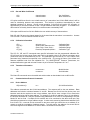
#01D1;D2¬
4522.45,120.24¬
#01¬
4522.47,120.22¬
A copy of all programmable data is stored in nonvolatile memory. On power-up, defaults are assigned
based on the contents of this memory. The contents of this memory are accessed using EEPROM
commands (See Section 4.7.1).
4.2
Data Access Commands
4.2.1
Read Data
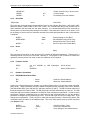
D[1]¬
D2¬
D3¬
D4¬
±nnnnn.nnn
±nnnnn.nnn
Nnnnnnnnn
Nnnnnnnnn
Primary Output (Pressure)
Secondary Output (Temperature)
Frequency Ratio 1
Frequency Ratio 2
Data commands are used to read the intelligent transducer data. Only fresh data will be sent (i.e. data
which hasn't already been read), so there may be a delay of up to one gatetime before the response is
sent. If data is not available for any other reason, an appropriate error indicator will be sent.
QLinkManual200809.doc