1
ZENO®-3200
USER MANUAL
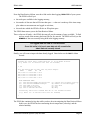
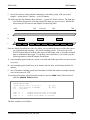
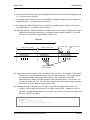
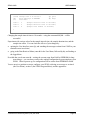
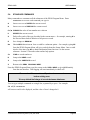
Some of the line items do not apply to all sensor types -- these will not appear on your menu.
Type Cn/m to Change the value of line item n to value m.
5.5.1. Item 1: Sensor type code
If Item 1 has the value 0 (no sensor), you need to specify the sensor type code before defining the
other parameters. The most common sensor types are:
•
•
•
•
single-ended analog inputs, such as voltage inputs;
differential (double-ended) analog inputs, either voltage or current;
digital frequency or period measurements;
digital edge or state measurements.
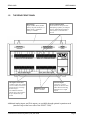
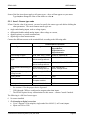
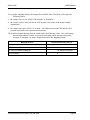
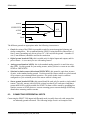
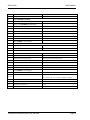
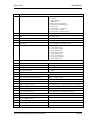
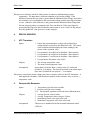
Connect the different sensors to the terminal block according to the following table..
Terminal Block Connection
Sensor Type
Sensor Signal +
Sensor Signal,
Signal Return,
Signal Ground, or
Signal Common
12-bit analog-to-digital
CH8, CH9, VBAT, ITEMP
AGND or SWEXCRTN*
18-bit single-ended analog-todigital
CH1+ through CH7+
ACH1+ through ACH16+
AGND, SGND, or SWEXCRTN*
CH1- through CH7ACH1+ through ACH16+
AGND, SGND, or SWEXCRTN*
18-bit double-ended analog-todigital
CH1+ through CH7+
ACH1+ through ACH16+
CH1- through CH7ACH1- through ACH16-
Digital period, frequency, state
or edge counter
CH10 thorough CH17†
GND
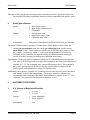
Tipping bucket‡
CH24
GND
Serial compass
COM1, COM2, COM3 or
Compass Interface
GND
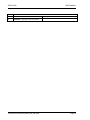
Dasibi gas calibrator
COM1, COM2, COM3
GND
*
†
‡
See section 6.2 for the proper choice of ground.
CH18 through CH24 are configured as outputs rather than inputs.
The ZENO requires factory customization for this sensor -- contact Coastal if needed.
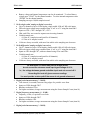
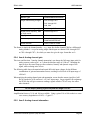
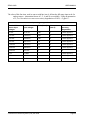
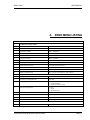
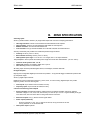
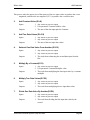
The following is a full list of sensor types.
0
No sensor installed.
1
12-bit analog-to-digital conversion.
• Up to 2 separate 12-bit unipolar, single-ended 0 to 4.096V (1 mV/count) inputs.
• Inputs on CH8 or CH9.
Coastal Environmental Systems (206) 682-6048
Page 42