1
Start Up Procedure – 2.2
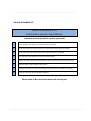
The following notes are for guidance where local laboratory instructions do not exist or are
inappropriate. They should complement, not replace, existing codes of practice issued by
your Laboratory Safety Officers.
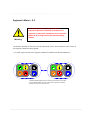
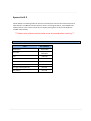
Ø Ensure power supply to the cabinet is switched on, as evidenced by the main display
being illuminated. The key switch on the front of the cabinet must be turned to
position ‘1’ = (ON).
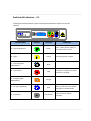
Ø Press the green switch ‘A’ on the control panel – this will energise the integral fan. The
main display will show `AIRFLOW STABILISING` for 60 seconds, once the airflow is
settled the display will show `LAMINAR FLOW AIRFLOW SAFE`. On start up the audible
alarm will sound until airflows are safe; this may be muted using the Alarm Mute
switch `D’.
Ø Switch on the interior lighting using switch ‘B’. Lighting can be activated when the
cabinet is OFF; this can be used if loading or un-loading the cabinet with equipment
prior to use.