1
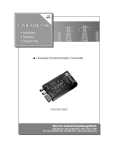
FiberCom 10/100BaseT to 100BaseFX Bridging Media Converter User’s Manual 1. Overview Electro Industries’ FiberCom 10/100BaseT to 100BaseFX Bridging Media Converter (part # EI-FP8110SA-25) provides 10/100Mbps communication between Cat 5 twisted pair Ethernet cables and Fiber Optic cables. The FiberCom protects your copper-wire investment, while extending the range of your communication capability and preparing your network for future optimization. FiberCom features include: Support for half-duplex and full-duplex transmission. Ability to extend range of communication from 100 meters maximum (with twisted pair alone) to 25 kilometers. Built-in 128kB RAM for data buffering. Support for auto MDI-MDIX function for seamless device connection. Fiber optic immunity to electromagnetic interference (EMI) improves data transmission, especially in environments with high EMI, e.g., a manufacturing facility’s plant floor. IMPORTANT! Inspect your FiberCom package to ensure it contains the following items: 1. FiberCom Media Converter 2. External Power Supply 2. Specifications Parameters Access mode Standards Wavelength Transmission distance Port Conversion mode Delay Bit error rate MTBF LED Power Power consumption Operating temperature Operating humidity Storage temperature Storage humidity Dimensions Specifications 10/100 Mbps Ethernet IEEE802.3 10BaseT Ethernet, IEEE802.3U 100BaseTX/FX Fast Ethernet, IEEE802.1Q VLAN, IEEE802.1p CoS, IEEE802.1D Spanning Tree MAC Bridges 1310nm Dual-fiber single-mode: 82021feet/25 km Category-5 twisted pair: 328 feet/100m One RJ45 port: Connected to STP/UTP Category-5 twisted pair One fiber port: Dual-fiber single-mode – ST fiber port (fiber size: 9/125μm) Medium conversion <10μs <1/1000000000 100,000 hours See chart on the next page 90-265VAC Input using external power supply/ 5VDC Input jack 5W (50 to 131)°F/(10 to 55)°C 5%~90% (-40 to 158)°F/(-40 to 70)°C 5%~90% (non-condensing) 1.02”/26mm(H)*2.75”/70mm(W)*3.69”/94mm(L) (height * width * length) Power Supply Input Jack 3. Connection Connect the FiberCom Media Converter as follows: a. Connect the network device (work station, hub or switch) with RJ45 interface to the FiberCom’s RJ45 jack, using Cat-5 twisted-pair. b. Connect the fiber optic cable to the FiberCom’s ST Fiber jack. Fiber c. Plug the supplied Power supply into the FiberCom. Jacks d. Once the devices are powered on, the FiberCom LEDs indicate connection status. See next section. RJ45 Jack 4. Front Panel Indicators Number 1 LED PWR 2 FP 3 Link/Act Function Power LED Status Meaning ON Power is ON OFF Power is OFF Fiber port link/action status ON Fiber link is ACTIVE LED OFF Fiber link is INACTIVE UTP port link/action status ON Data is being received LED Blink Data has been transmitted (not currently transmitting) OFF Data is not being sent out 4 100M UTP port speed LED ON 100M speed OFF 10M speed 5 FDX/COL Duplex Mode ON Full-duplex Blink Data collision (Half-duplex mode, only) OFF Half-duplex 5. Troubleshooting If the FiberCom Media Converter fails to operate, follow these steps: No: 1. Is the FiberCom’s “PWR” LED - Is the power supply compatible with the AC illuminated? (See page 10) outlet? - Is the power supply installed properly in the FiberCom and the AC outlet? - Contact EIG’s technical support. Yes: continue to step 2. 2. Is the “FDX/COL”LED No: illuminated on a port with - The FiberCom has selected half-duplex twisted-pair cable installed? mode. Yes: - The FiberCom has selected full-duplex mode. If the mode is not correct, disconnect and reconnect the twisted pair cable to restart the initialization process. Continue to step 3. 3. Is the “Link/Act” LED No: illuminated on the on the fiber - Check the fiber cables for proper cable port? connection. - Verify that the TX and RX cables are connected to the FiberCom’s RX and TX ports, respectively. Yes: continue to step 4. 4. Is the “100M” LED No: illuminated on a port with - The FiberCom has selected 10Mbps twisted-pair cable installed? operation. Yes: - The FiberCom has selected 100Mbps operation. If the speed is not correct, disconnect and reconnect the twisted pair cable to restart the initialization process. FCC RFI Statement Federal Communications Commission (FCC) Radio Frequency Interference This device complies with part 15 of FCC regulations. E Electro Industries/GaugeTech “The Leader in Power Monitoring and Smart Grid Solutions” 1800 Shames Drive Westbury, NY 11590 (Tel) 516-334-0870 (FAX) 516-338-4741 www.electroind.com Doc# E201701 V.1.04 May, 2013