1
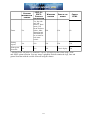
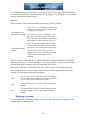
Handling:Answer Y or N. If you select Y, the transaction is accepted but some of the
information will be a duplicate to another transaction. If you select N, you can either change
the transaction or you can use <Esc> to cancel it.
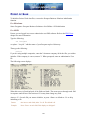
Work File Is Full
Situation:There is not enough space available on your disk for the work file necessary to create
this report.
Handling:Clean up your disk by deleting any obsolete or unnecessary files, then retry the
operation. Refer to the File Utilities chapter.
If this happens consistently, then you may want to upgrade your hard drive to a larger
capacity.
Reference Modifier Range Error...
Situation This usually indicates missing data in the company file.
Handling: Set up the Company information.
Spooler sub system app has encountered a problem
Situation: This message may display in Windows and the printers are setup to work only under
DOS.
Handling: Set up the workstation printers without the use of DOS.
File error 41 on COMPFI
Situation: This may indicate the company file was initialized.
Handling: Enter Company information.
Printing to a dot matrix printer does no allow an alignment
Situation: You are not able to use the alignment to line up the data to the form when printing
through a printer in Company information.
Handling: Purchase a Laser printer or select Windows printer when printing the form.
Error 115 during the move data process
Situation: During the installation of PBS in Windows this error message displays, It indicates
either a permissions problem, or that someone is in the software. If it occurs on the POPFIL, it
is because someone is in the software.
Handling: Install the software as an administrative user or make sure everyone is out of the
system before you begin the installation.
Uninstall shield already running
This can occur during a PBS Windows installation and it indicates that you are not an
administrative users.
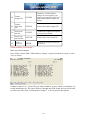
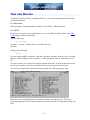
Lines display as strange characters
Situation: In Windows the fonts have not been installed on the workstation.
336