1
Getting Started
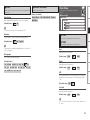
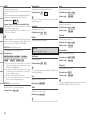
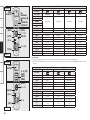
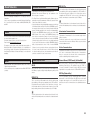
Language
Select the language displayed on the GUI screen.
Operating from the main unit or main remote
control unit
Source Select
F Menu tree F
Connections
Manual Setup
Use this procedure to select the input source and make the settings
related to playing input sources.
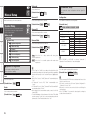
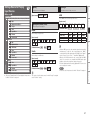
Language
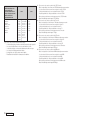
[Selectable items]
Setup
English
Deutsch
Nederlands
Français
Italiano
Español
Svenska
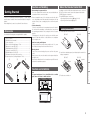
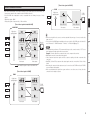
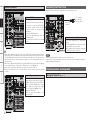
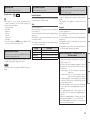
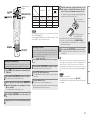
Input Source Selection
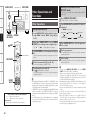
GOperation on the main unitH
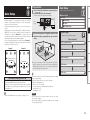
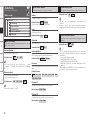
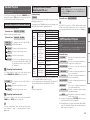
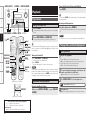
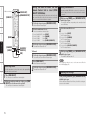
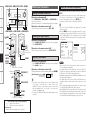
Turn the SOURCE SELECT knob.
bIf “Rec Select” or “Video Select” is selected, press the SOURCE
button before turning the SOURCE SELECT knob.
GOperation on the main remote control unitH
Press the SOURCE SELECT button.
The desired input source can be selected directly.
F Menu tree F
Playback
Source Select
Operating from the main unit
Remote Control
Multi-Zone
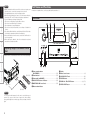
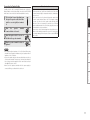
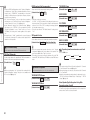
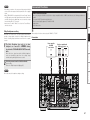
b The GUI menu is not displayed when performing this setting.
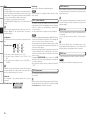
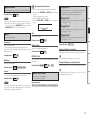
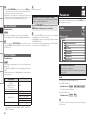
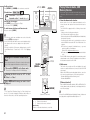
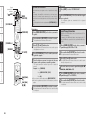
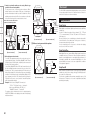
q Press and hold the AUDIO DELAY and RETURN buttons for at least
3 seconds.
“Video Format” appears on the display.
w Use the ui button to set “GUI Language”.
e Use the o p button to make the setting.
r Press the ENTER, MENU or RETURN button to complete the
setting.
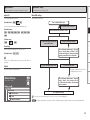
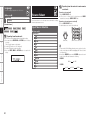
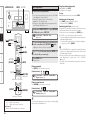
DVD
HDP
TV/CBL
(Main unit)
SAT
VCR
DVR-1
DVR-2
V.AUX
NET/USB
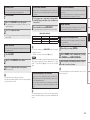
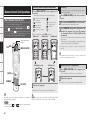
•To operate the AVC-A1HD using the main remote control unit, set the
remote control unit to the AMP mode (vpage 64 “Remote Control
Unit Operations”).
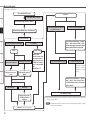
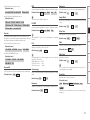
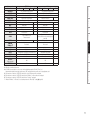
•Pressing the DVD/HDP button and the VCR/DVR button on the main
remote control will switch between the following.
DVD/HDP :
Information
TUNER
PHONO
CD
Troubleshooting
40
(Main remote control unit)
DVD
HDP
VCR/DVR :
VCR
DVR-1
DVR-2