1
XLC2 Troubleshooting
XLC2 Technical Information
E
Phone Will Not Hold Charge
• Make sure the charging contacts on the handset and base
are free of dust and dirt.
• Clean the battery contact with a cloth moistened with
alcohol.
• Make sure CHARGE LED on the base is lit when the
handset is in the cradle. If necessary, replace the handset
batteries. (See Battery Information.)
Difficulty in Placing or Receiving Calls
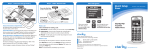
• Check the visual ringer and/or other buttons for different
blinking lighting patterns - see above examples.
• Make sure you have selected the correct dialing mode,
tone or pulse.
• Disconnect the base for 5-10 seconds, then reconnect.
Place the handset back on the base and reinsert the AC
adapter.
• Make sure the handset batteries are fully charged.
Unable To Access Automated Systems
Automated systems used by banks, long distance voicemail
and other applications require that a phone be set to TONE
dialing. Check the switch on the bottom of the phone
labeled TONE / PULSE and set to TONE. This will enable
the phone to be compatible with these automated systems.
Amplified dB Level: 50dB
Dimensions
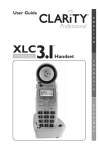
• Handset Size: 7.4” x 2.3” x 1 .7” (H x W x D)
• Base Size: 5.3” x 4.5” x 3.6” (H x W x D)
N
G
L
I
S
H
Weight
• Handset (no batteries): 6.35 oz.
• Base: 7 oz.
• Wall mount bracket: 1.16 oz.
• Batteries (handset only): 1.23 oz.
Power Specifications
AC Adapter:
• Input: 100V-240V AC
• Output: 7.5VDC, 500 mA; Model T07505U002
Battery: 1.2V 600mAh Ni-MH, 60AAAHC, GPI International
Ltd.
Talk time: 6.5 hours (handset batteries - 600mAh)
Standby time: 130 hours (handset batteries - 600mAh)
Poor Audio Quality
The base may be too close to electrical appliances,
reinforced concrete walls or metal door frames. Place the
base away from any electrical appliances.
26
27