1
Installation
\\Connecting to the network
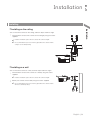
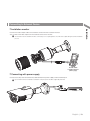
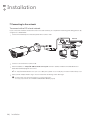
To connect with a PC in local network
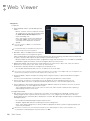
If you connect the network camera with a PC in the same network, you can perform monitoring and setting process by
using the PC's Web Viewer.
1. Connect the network port on the back panel with a router or hub.
OR
PoE
Injector
Local PC
PoE Hub
IP Router
or Hub
Local PC
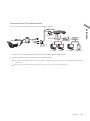
2.Connect a local PC with a router or hub.
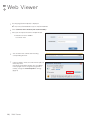
the address in “https://IP address:web service port” format in address window of the web browser or
3.Enter
dedicated software program at local PC.
Ex : https://192.168.0.23:80 web service port is set as 80 by factory default. You can modify the port number in Network Setup screen.
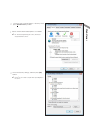
4.Enter your ID and password to log in. You can watch the monitoring screen after login.
JJ You must register your login password when accessing for the first time.
To change your password, refer to "How to connect to the camera". (page 16)
14 | Installation