1
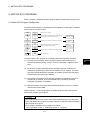
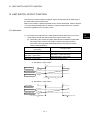
6 MOTION SFC PROGRAMS
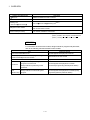
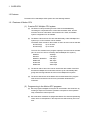
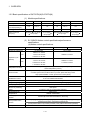
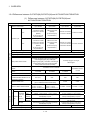
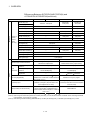
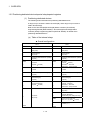
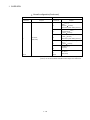
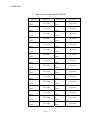
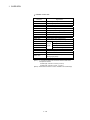
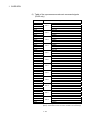
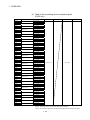
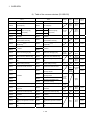
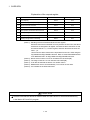
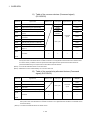
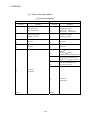
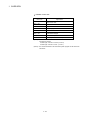
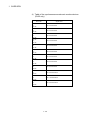
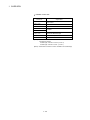
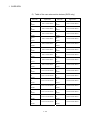
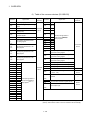
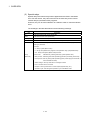
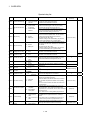
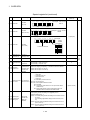
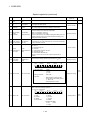
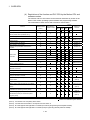
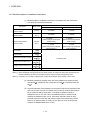
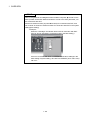
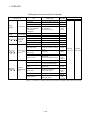
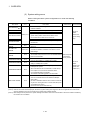
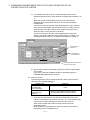
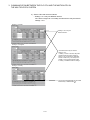
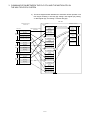
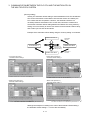
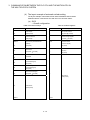
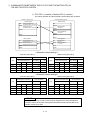
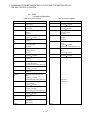
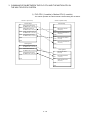
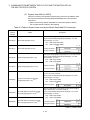
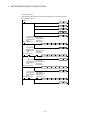
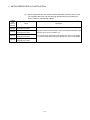
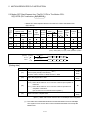
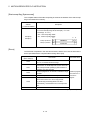
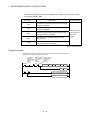
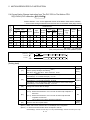
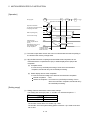
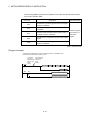
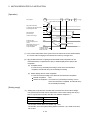
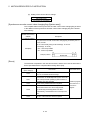
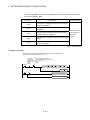
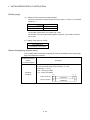
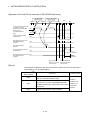
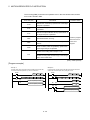
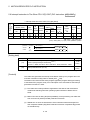
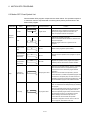
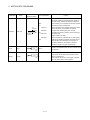
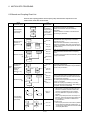
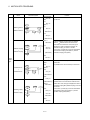
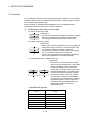
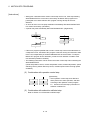
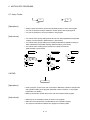
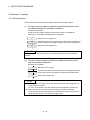
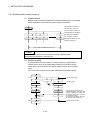
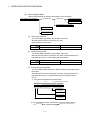
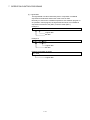
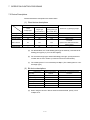
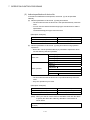
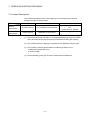
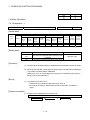
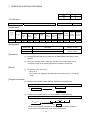
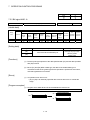
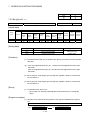
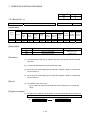
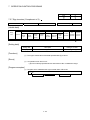
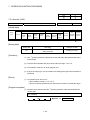
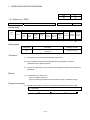
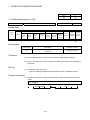
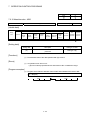
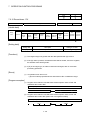
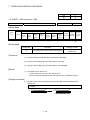
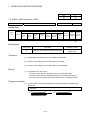
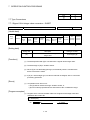
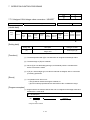
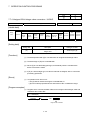
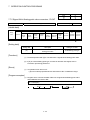
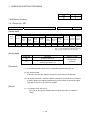
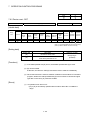
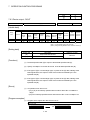
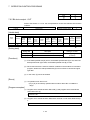
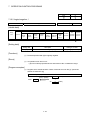
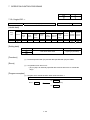
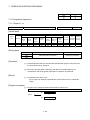
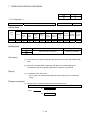
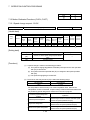
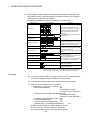
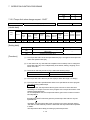
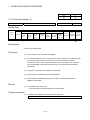
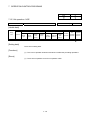
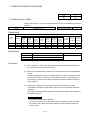
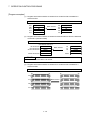
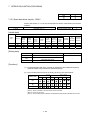
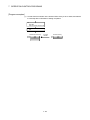
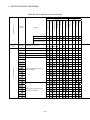
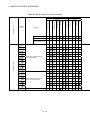
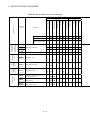
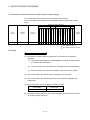
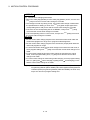
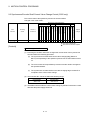
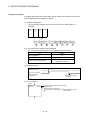
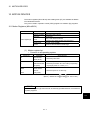
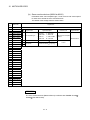
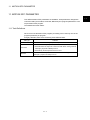
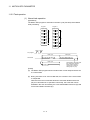
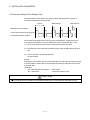
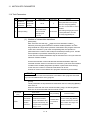
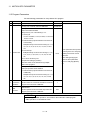
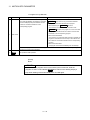
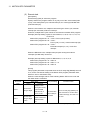
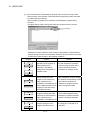
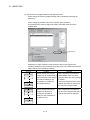
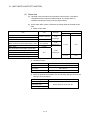
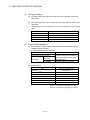
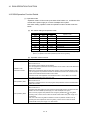
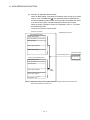
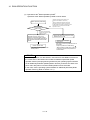
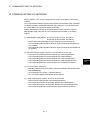
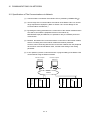
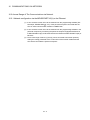
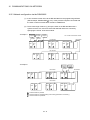
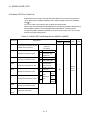
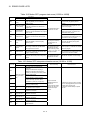
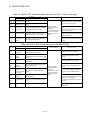
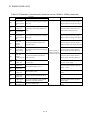
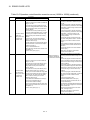
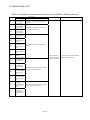
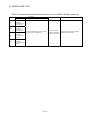
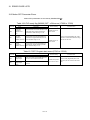
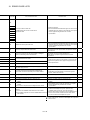
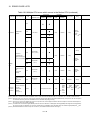
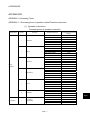
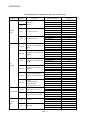
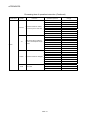
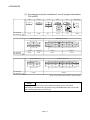
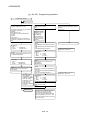
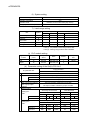
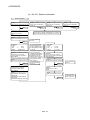
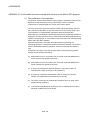
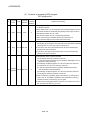
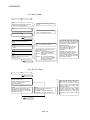
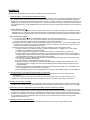
Combining the basic type branches/couplings provides the following application types,
which are defined as in the basic types.
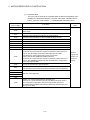
Name
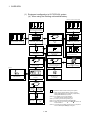
Selective branch
|
Parallel branch
Parallel coupling
|
Selective coupling
Application
type
Parallel branch
|
Selective branch
Selective coupling
|
Parallel coupling
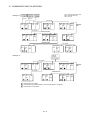
List
representation
Motion SFC chart symbol
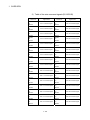
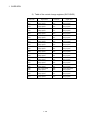
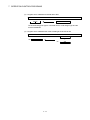
IFBm
IFT1
IFT2
PABm
PAT1
PAT2
IFT2
PAEm
SFT Gn’
CALL Fn’’
:
(JMP IFEm)
IFEm
SFT Gn’’
IFEm
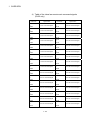
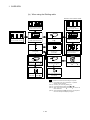
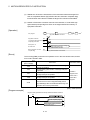
PABm
PAT1
PAT2
IFBm
FIT1
IFEm
PAEm
CALL Kn
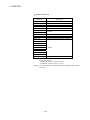
IFBm
IFT1
SFT Gn
PABm
PAT1
CALL Fn
:
JMP PAEm
PAT2
CALL Fn’
:
(JMP PAEm)
PAEm
JMP IFEm
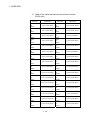
FIT2
SFT Gn
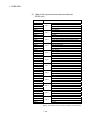
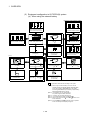
PABm
PAT1
CALL Fn
IFBm
IFT1
SFT Gn’
CALL Fn’
:
JMP IFEm
IFT2
SFT Gn’’
CALL Fn’’
:
(JMP IFEm)
IFEm
JMP PAEm
PAT2
CALL Fn’’’
:
CALL Kn
(JMP PAEm)
PAEm
SFT Gn’’’
6-6
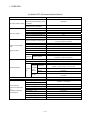
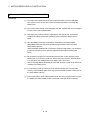
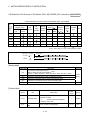
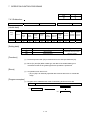
Function
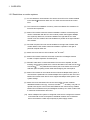
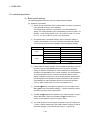
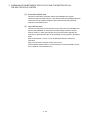
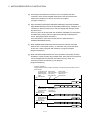
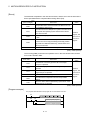
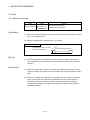
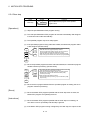
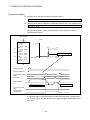
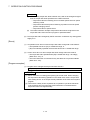
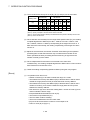
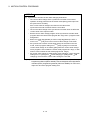
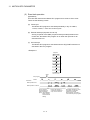
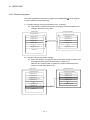
• After a selective branch, a parallel branch can be
performed.
• The selective coupling point can be the same as
the coupling point of a parallel coupling for
selective branch
parallel branch. Note that in the
Motion SFC chart, this type is displayed in order of
a parallel coupling
a selective coupling, as
shown on the left.
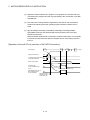
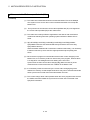
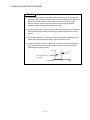
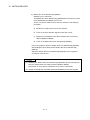
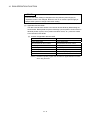
• In this case, a pointer (Pn) cannot be set between
the parallel coupling point (PAEm) and the
selective coupling point (IFEm).
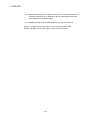
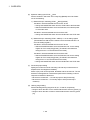
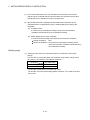
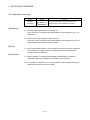
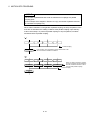
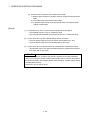
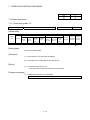
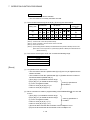
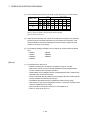
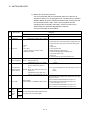
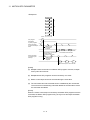
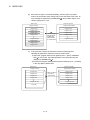
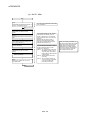
• After a parallel branch, a selective branch can be
performed.
• The parallel coupling point can be the same as the
coupling point of a selective coupling for parallel
branch
selective branch.
Note that in the Motion SFC chart, this type is
displayed in order of a selective coupling
a
parallel coupling, as shown on the left.
• In this case, a pointer (Pn) cannot be set between
the selective coupling point (IFEm) and the parallel
coupling point (PAEm).