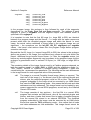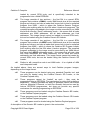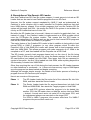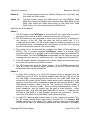
1
Catalina C Compiler
Reference Manual
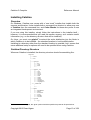
|
+--|
|
|
|
|
|
|
|
|
|
|
|
+--|
|
|
|
|
|
|
|
|
|
|
|
+--|
+--|
|
|
|
|
|
+--|
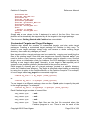
+---
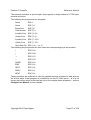
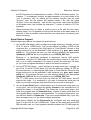
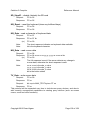
lib
|
+--+--+--+--+--+--+--+--+--+---
libc
libci
libcx
libcix
libm
libma
libmb
libtiny
libserial4
libgraphics
large_lib
|
+--- libc
+--- libci
+--- libcx
+--- libcix
+--- libm
+--- libma
+--- libmb
+--- libtiny
+--- libserial4
+--- libgraphics
minimal
source
|
+--- catalina
+--- lcc
+--- lib
+--- srecord
target
utilities
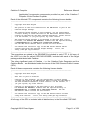
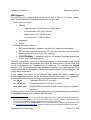
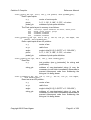
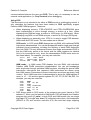
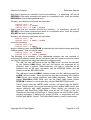
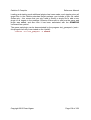
There may be more or less sub-directories to those shown, depending on which
parts of Catalina have been installed – but the bin, include, lib and target directories
are the minimum required to use Catalina on any platform (the large_lib subdirectory is only required for platforms with XMM support).
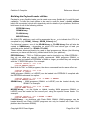
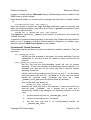
The path to the main Catalina directory must be added to the appropriate
environment variable (e.g. by modifying the PATH environment variable).
A batch script to do this (use_catalina) is provided in the main Catalina directory.
Unless you modify your PATH variable to include the Catalina bin directory (or use
the Catalina Command Line shortcut) this command should be executed each time a
command shell is started.
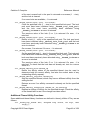
Under Windows the command to use is use_catalina.
Under Linux the command to use is source use_catalina.
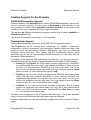
NOTE: You do not need to rebuild Catalina just to use it, even if you install Catalina
to a location other than the default - but if you ever do need to rebuild it then you
may need to modify various sources, make files and batch files – do a search for the
term “Program Files” and replace it appropriately.
Copyright 2013 Ross Higson
Page 14 of 158