1
Pauline Emery
Master Project: Developing GEOME web-based platform
January 2012
views.py
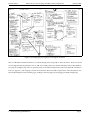
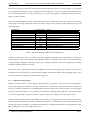
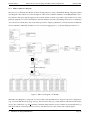
To create a webpage, a regular expression needs to be written in the urls.py file which is mapped to a view
function. The view function only requires a request object as an argument (HTTP request) but other arguments
can be given, and once it is done processing it either generates a response (e.g. render an HTML page with
content from the database), or redirects to a file.A view function is therefore just a Python function that takes an
HttpRequest as its first parameter and returns an instance of HttpResponse.
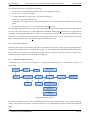
models.py
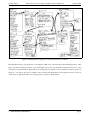
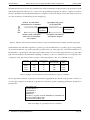
Table names are automatically generated by combining the name of the app (geome) and the lowercase name of
the model (e.g. user, study, dataset). Django adds a primary key for each table automatically — the id fields if
no primary key field is defined. By convention, Django appends ” id” to the foreign key field name. The foreign
key relationship is made explicit by a REFERENCES statement.
urls.py
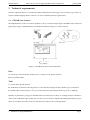
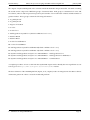
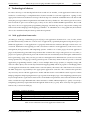
This file is like a “table of contents” of the Django-powered site giving the possible URLs. The URLs are defined
thanks to regular expressions http://docs.python.org/library/re.html. If we had used the pattern
’ĥello’ (without a dollar sign at the end), then any URL starting with /hello/ would match, such as /hello/foo
and /hello/bar, not just /hello/. Similarly, if we had left off the initial caret character (i.e. ’hello/$’), Django
would match any URL that ends with hello/, such as /foo/bar/hello/. If we had simply used hello/, without a
caret or dollar sign, then any URL containing hello/ would match, such as /foo/hello/bar. Patterns include
a caret (ˆ) and a dollar sign ($). These are regular expression characters that have a special meaning: the caret
means “require that the pattern matches the start of the string,” and the dollar sign means “require that the
pattern matches the end of the strings.
Templates
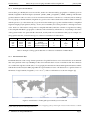
Django templates are basic HTML with some variables, template tags and filters thrown in. Any text surrounded
by a pair of braces (e.g. {{person name }}) is a variable. This means “insert the value of the variable with the
given name”. Any text that’s surrounded by curly braces and percent signs (e.g. {% if con %}... {% else %}...
{% endif %}or {% for item in item list %}... {% endfor %}) is a template tag. The definition of a tag just tells
the template system to execute an (e.g. a for look or logical ”if” statement). Any text that’s surrounded by
double curly braces is a filter, which is the most convenient way to alter the formatting of a variable. In this
example, {{datefield |date:”F j, Y” }}, we’re passing the datefield variable to the date filter, giving the date filter
the argument ”F j, Y”. The date filter formats dates in a given format, as specified by that argument. Filters are
attached using a pipe character (|), as a reference to Unix pipes.
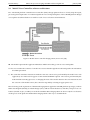
To avoid duplication of HTML code, the solution with Django is to use a strategy called template inheritance. In
essence, template inheritance lets build a base “skeleton” template that contains all the common parts of your
site and defines “blocks” that child templates can override. Generally, the more {% block %} tags in the base
templates, the better. The child templates don’t have to define all parent blocks, so you can fill in reasonable
defaults in a number of blocks, and then define only the ones you need in the child templates.
D
TECHNICAL MANUAL
Page 49