1
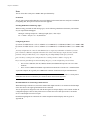
Appendix A: Troubleshooting
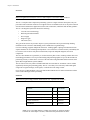
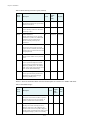
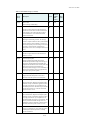
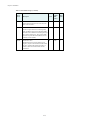
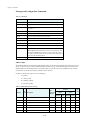
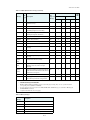
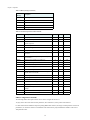
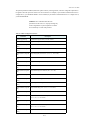
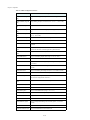
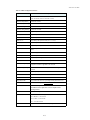
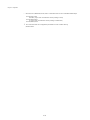
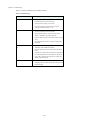
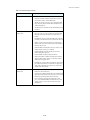
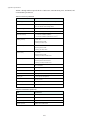
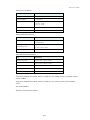
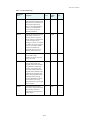
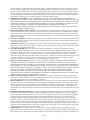
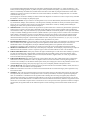
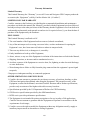
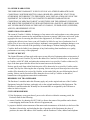
Table A-1 provides troubleshooting for common problems.
Table A-1: Troubleshooting
Symptom
Possible Solution
Receiver fails to power
•
Verify polarity of power leads
•
Check integrity of power cable connectors
No data from G1
Random data from
G1
No GPS lock
•
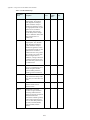
Check power input voltage (6 to 36 VDC)
•
Check current restrictions imposed by power source
(minimum available should be > 1.0 A)
•
Check receiver power status to ensure the receiver is
powered (an ammeter can be used for this)
•
Verify desired messages are activated (using ComNav
Toolkit or $JSHOW in any terminal program)
•
Ensure the baud rate of the G1 matches that of the receiving
device
•
Check integrity and connectivity of power and data cable
connections
•
Verify the RTCM or binary messages are not being output
accidentally (send a $JSHOW command)
•
Ensure the baud rate of the G1 matches that of the remote
device
•
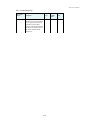
Potentially, the volume of data requested to be output by the
G1 could be higher than the current baud rate supports (try
using 19200 as the baud rate for all devices or reduce the
amount of data being output)
•
Verify the G1 has a clear view of the sky
•
Verify the lock status of GPS satellites (this can be done with
ComNav Toolkit)
3539