1
2 I/O Application Procedures and Function Allocations
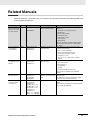
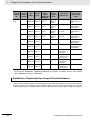
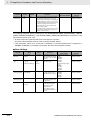
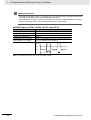
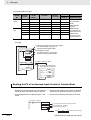
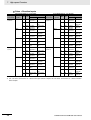
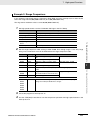
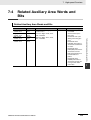
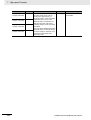
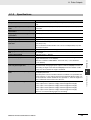
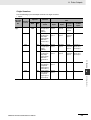
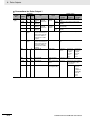
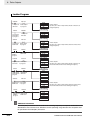
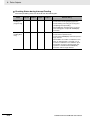
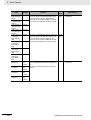
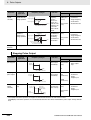
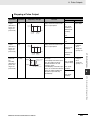
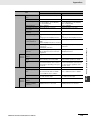
Parameter
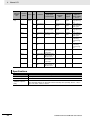
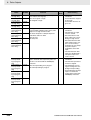
Acceleration Rate
Setting
1 to 65,535
Default
0
Related Auxiliary
Area words and bits
Description
Set the acceleration rate in pps
per 4 ms for accelerating during
origin searches.
Update timing in
CPU Unit
---
Refreshed when
operation is started.
---
Refreshed when
operation is started.
Pulse Output
Stopped Error Flags:
A280.07
A281.07
A326.07
A327.07
Refreshed when
operation is started.
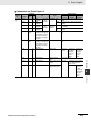
Related Auxiliary
Area words and bits
Update timing in
CPU Unit
*This setting is valid only when the
origin search function is enabled.
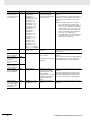
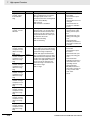
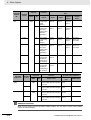
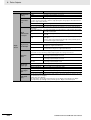
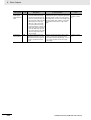
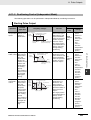
Deceleration Rate
1 to 65,535
0
Set the deceleration rate in pps
per 4 ms for decelerating during
origin searches.
*This setting is valid only when the
origin search function is enabled.
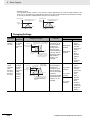
Positioning Monitor Time (ms)
0 to 9,999 ms
0
Set the time to monitor for the
positioning completed signal after
pulse output has been completed.
A Positioning Timeout Error (error
code 0300) will occur if the positioning completed signal is not
received within the positioning
monitor time.
*This setting is valid only when the
origin search function is enabled
and operation mode 2 is set.
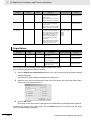
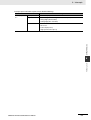
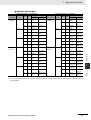
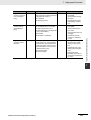
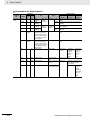
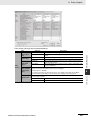
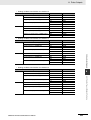
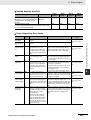
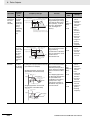
Origin Return
Parameter
Setting
Default
Description
Target Speed (pps)
1 to 100,000 pps
0 pps
Set the operating speed for
origin returns.
---
Refreshed when
operation is started.
Acceleration Rate
1 to 65,535
0
Set the acceleration rate in
pps per 4 ms for accelerating
during origin returns.
---
Refreshed when
operation is started.
Deceleration Rate
1 to 65,535
0
Set the deceleration rate in
pps per 4 ms for decelerating
during origin returns.
---
Refreshed when
operation is started.
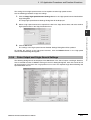
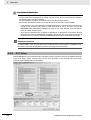
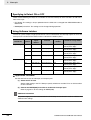
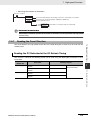
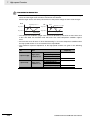
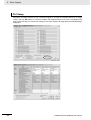
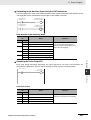
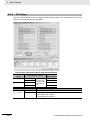
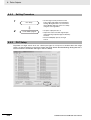
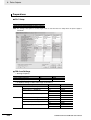
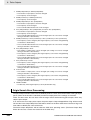
The settings for one pulse output can be copied to another pulse output.
Use the following procedure to copy the settings.
1. Click the Copy Pulse Output Settings Button in the Pulse Output and Origin Search Detailed
Settings Dialog Box.
The Copy Pulse Output Settings Dialog Box will be displayed.
2. Select the pulse output to be copied in the box in the Copy Source Area and select another pulse
output in the Copy Destination Area.
3. Click the OK Button.
The settings in the Pulse Output and Origin Search Detailed Settings Dialog Box will be updated.
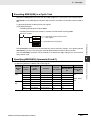
To initialize the settings of the pulse outputs, click the Defaults Button in the Pulse Output and Origin
Search Detailed Settings Dialog Box.
2-14
CJ2M CPU Unit Pulse I/O Module User’s Manual