1
Audit Link (ALI) Instructions
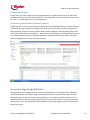
3. It is very important when making an edit that you also change the status to “Updated” or
“Approved”. Just changing and saving changes to an editable field does not change the status.
4. Once your update is made click on “Save”
Mass Update (Working Grid only)
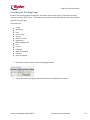
The mass update function allows the user to make the same update to multiple pros with a single action.
The mass update can be applied to any of the editable fields list in the previous section
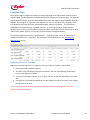
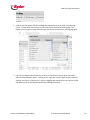
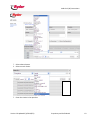
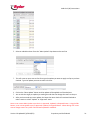
1. Select the pros that you want to mass update by clicking the check box next to the pro or by
selecting all pros in a page by clicking the box to the left of the word action, which will select all
visible pros on that page.
or
Version 2.0 Updated 3/1/2012 (RFL)
Proprietary and Confidential
30