1
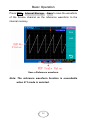
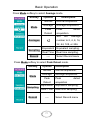
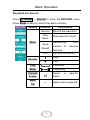
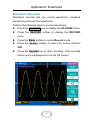
Application Examples Perform the following steps to save the waveform recorded. Press the ACQUIRE key to display the ACUQIRE menu. Press the RECORD softkey to display the RECORD menu. Press the Mode softkey to select Save/Recall mode. Press Start Frame softkey and turn the entry knob to set the start frame. Press End Frame softkey and turn the entry knob to set the end frame. Press the Internal Storage softkey to Save or Load the recorded waveform from the internal memory. 149