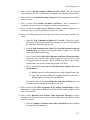
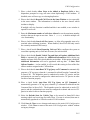
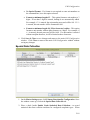
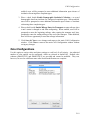
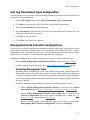
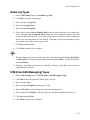
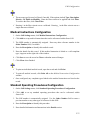
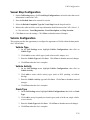
1
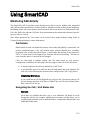
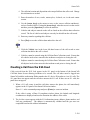
SmartCAD
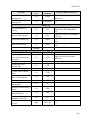
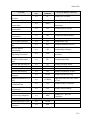
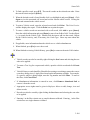
To do this,
Hide the Inter-CAD
message list
View the Inter-CAD
message list
press this
key
enter this
command1
n/a
ICMH
n/a
ICMSHOW
or use the mouse to click here
Right-click message list; select
Hide ICM
n/a
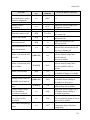
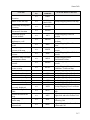
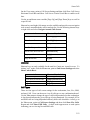
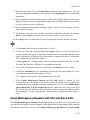
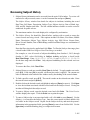
Radio Log
View the Radio Log
history
n/a
RL
Enter a radio log entry
n/a
RLA
Undock the Radio Log
n/a
RLD
Hide the Radio Log
n/a
RLH
View the Radio Log
[Alt+R]
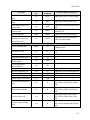
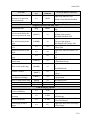
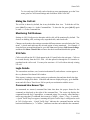
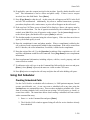
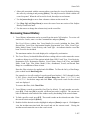
View the apparatus list
Add or change attributes
for a unit that is not an
apparatus
Assign Unit to Group
Change the Unit’s
Default Role
Create Unit Group
Change Unit’s Current
Role
Set Unit Status to
DELAYED response
Delete Unit Group
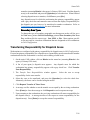
Show Employee
Information
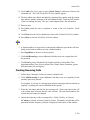
Employee Information by
Name
Employee Information by
issued Radio ID
Employee Information by
assigned vehicle Tag
Make a unit available for
service
n/a
RLS
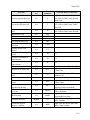
Unit Settings
APP
n/a
ATR
n/a
AUG
n/a
CDR
n/a
CUG
n/a
CUR
n/a
DR
n/a
DUG
n/a
EI
n/a
EIN
n/a
EIR
n/a
EIT
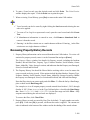
[F1]
OD or IN
Right-click log; select View Radio
Log History OR Lookup/Radio
Log
Right-click log; select Add Radio
Log Entry
Right-click log; select Undock
Form
Right-click log; select Hide Radio
Log
View/Show Radio Log
n/a
Right-click; select Edit Unit’s
Attributes
n/a
3-10