1
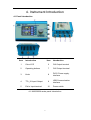
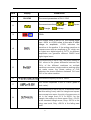
Generally speaking, the content displayed in the
middle indicates the key operating tips, or some
9
special setting values.
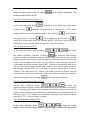
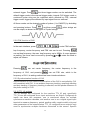
The three keys
can control channels of CH1 and CH2, specifically,
controls CH1,
controls CH2, OK controls two
channels simultaneously.
10
The model and current firmware version number of
the machine can be displayed as pressing the key
of F1.
11
Settings of CH1
12
Refers to an auxiliary function of the machine, such
as setting the sound of on or off, frequency
measurement,
cycle
measurement,
communication settings etc.
13
Settings of CH2
Two options of save and load appear by
14
pressing
, save represents the current
specific parameter settings of CH1 and CH2 to be
saved in Flash memory to the machine, there are
100 specific storage locations from M00 to
M99.Load indicates the content of the Flash
memory to be loaded, the machine can load
parameter of M00 automatically at boot time, M01
storage location is mainly for some of the
parameters set the sweep function.
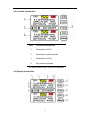
4-2 MHS2300A series Display Introduction
5. Operation
5.1 Power On
5.1.1 Plug 5V adapter, switch on.
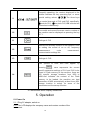
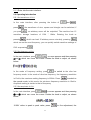
5.1.2 The LCD displays the company name and version number of the
instrument.
10