1
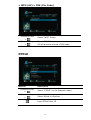
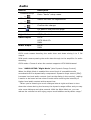
Audio
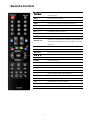
Remote
Direction Keys
+
Direction Keys
+
Direction Keys
+
Description
Enter “Audio” setup menu.
Select the item for adjustment.
Confirm the change.
Go back to the previous page.
Item
Options
Night Mode
Off/On/Comfort
HDMI Output
LPCM
LPCM Multi-Ch
RAW
SPDIF Output
LPCM
RAW
Note: LPCM / RAW Mode
LPCM mode means decoding the audio then and down-mixing it to 2 CH
output.
RAW mode means passing the audio data through to the amplifier for audio
decoding.
LPCM mode: Choose it when the content supports LPCM Multichannel.
Note: “AUDIO SETUP-“Night Mode” (aka Dynamic Range Control)
When the Night Mode is enabled the sound level of compatible audio
soundtracks will be dynamically compressed. Dynamic range control (DRC)
increases low-level audio content (such as the dialog in the movies), making
it easier to be heard at low volume levels while reducing the intensity of
higher-level audio content at the same time.
“When you're listening to movie dialogue late at night and have to turn
down the volume during loud scenes, the dynamic range suffers and you may
miss some dialogue and other sounds. With the Night Mode on, you can
reduce the volume but still enjoy proper tonal balance and dynamic range.”
37