1
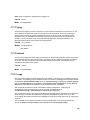
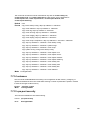
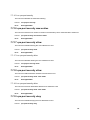
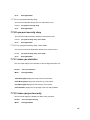
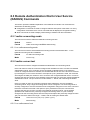
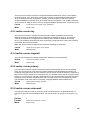
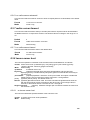
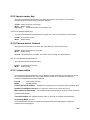
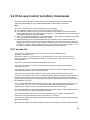
9.0 Quality of Service (QoS) Commands This chapter provides a detailed explanation of the Quality of Service (QOS) commands. The following QOS commands are available in the switch’s QOS module. The commands are divided into these different groups: Show commands are used to display device settings, statistics and other information. Configuration Commands are used to configure features and options of the switch. For every configuration command there is a show command that will display the configuration setting. 9.1 MAC Access Control List (ACL) Commands MAC Access Control Lists (ACLs) ensure that only authorized users have access to specific resources while blocking off any unwarranted attempts to reach network resources. Note: z z z z z z MAC ACL configuration for IP packet fragments is not supported. The maximum number of ACLs of any type that can be created is 100. Only Ethernet II frame types are supported. The maximum number of rules per MAC ACL translates into the number of hardware classifier entries used when an ACL is attached to an interface. Increasing these values in the switch increases the RAM and NVSTORE usage. ACLs are configured separately for Layer 2 and Layer 3/Layer 4. Some types of hardware do not allow both types of ACLs to be applied to the same interface. Wildcard masking for ACLs operates differently from a subnet mask. A wildcard mask is in essence the inverse of a subnet mask. With a subnet mask, the mask has ones (1's) in the bit positions that are used for the network address, and has zeros (0's) for the bit postions that are not used. In contrast, a wildcard mask has (0’s) in a bit position that must be checked. A ‘1’ in a bit position of the ACL mask indicates the corresponding bit can be ignored. 9.1.1 mac access-list extended This command creates a MAC Access Control List (ACL) identified by <name>, consisting of classification fields defined for the Layer 2 header of an Ethernet frame. The <name> parameter is a case-sensitive alphanumeric string from 1 to 31 characters uniquely identifying the MAC access list. If a MAC ACL by this name already exists, this command enters Mac-Access-List config mode to allow updating the existing MAC ACL. Note: The CLI mode is changed to Mac-Access-List Config when this command is successfully executed. Format mac access-list extended <name> Mode Global Config 9.1.1.1 no mac access-list extended This command deletes a MAC ACL identified by <name> from the system. 207