1
5. Operation Method
5.6 Gas test by customer
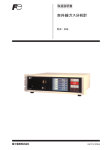
If you set the “1. Enable” on the “8. Gas test” of the [SETTINGS] screen,
when this product is started up, you can perform the gas test on this
product.
1.
After the startup and the self-test, the [GAS TEST]
proceeding screen on the right will be displayed.
2.
Follow the proceedings, equip the gas cell, and
press the Menu/Enter button.
3.
The [Gas TEST] will start, and the performance
screen shown on the right will be displayed.
4.
The result will be shown.
Gas test : OK
Gas test : NG
❖ About the proceedings of the gas test, methane concentration, and the
approved gas cell, contact Customer Service or your local sales agent.
❖ If the [Gas test : NG] is displayed, contact Customer Service or your local
sales agent.
❖ You can change the setting of the gas test on the [SETTINGS] screen from
when this product is powered off. About how to change the setting of the gas
test on the [SETTINGS] screen, please refer to the “Common operations for
changing settings” in the “5.3 Changing Settings”.
27