1
7DXE Motherboard
GETTING HELP
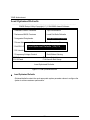
Main Menu
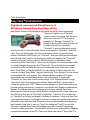
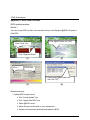
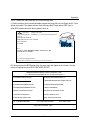
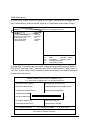
The on-line description of the highlighted setup function is displayed at the bottom of the screen.
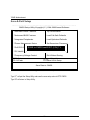
Status Page Setup Menu / Option Page Setup Menu
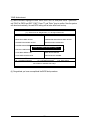
Press F1 to pop up a small help window that describes the appropriate keys to use and the
possible selections for the highlighted item. To exit the Help Window press <Esc>.
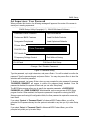
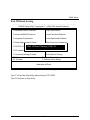
The Main Menu (For example: BIOS Ver. : F4b)
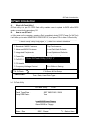
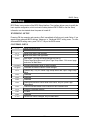
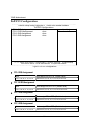
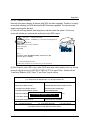
Once you enter Award BIOS CMOS Setup Utility, the Main Menu (Figure 1) will appear on the
screen. The Main Menu allows you to select from nine setup functions and two exit choices. Use
arrow keys to select among the items and press <Enter> to accept or enter the sub-menu.
CMOS Setup Utility-Copyright( C ) 1984-2002 Award Software
4Standard CMOS Features
Top Performance
4Advanced BIOS Features
Load Fail-Safe Defaults
4Integrated Peripherals
Load Optimized Defaults
4Power Management Setup
Set Supervisor Password
4PnP/PCI Configurations
Set User Password
4PC Health Status
Save & Exit Setup
4Frequency/Voltage Control
ESC:Quit
F8: Q-Flash
Exit Without Saving
↑↓→ ← : Select Item
F10:Save & Exit Setup
Time, Date, Hard Disk Type…
Figure 1: Main Menu
37