1
3.5.2 Looking up the IP Address and Logging in
By default, the IP address of your GV-IP Speed Dome is assigned by the
DHCP server unless your router does not support DHCP. In this case, the
default IP address will be 192.168.0.10. Follow the steps below to look up
the dynamic IP address.
1.
Install the GV-IP Device Utility program from the Software CD.
Note: The PC installed with GV-IP Device Utility must be under the same
LAN with the camera you wish to configure.
2.
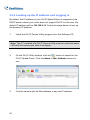
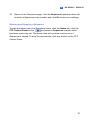
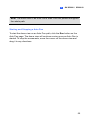
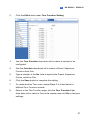
button to search for the
On the GV-IP Utility window, click the
GV-IP Speed Dome. Click the Name or Mac Address column to
sort.
3.
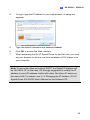
Find the camera with its Mac Address to see the IP address.
42