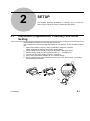
1
3.2.3
Numerical value Editing
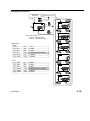
Numerical value for "Preset", "Tolerance judgment", "Calculation" can be edit by same key
operation.
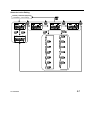
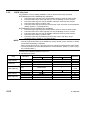
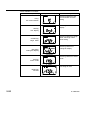
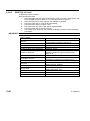
Items that requires numerical value editing
Functions
Editing items
Preset
P1, P2, P3
Tolerance judgment
Upper limit, Lower limit
Calculation coefficients: A, B, C
Calculation function
Origin offset value
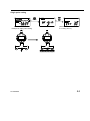
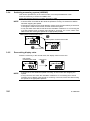
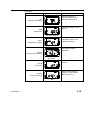
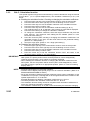
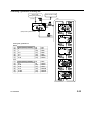
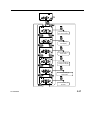
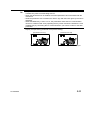
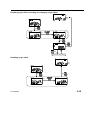
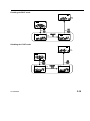
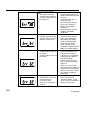
●Moving signs (+/-) and digits
Press the center key to move the sign or digit.
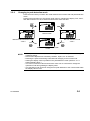
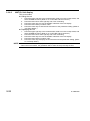
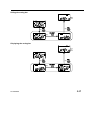
●Changing signs (+/-) and numerical values
Press the lower left key or lower right key to change the sign (+/-) or numerical value.
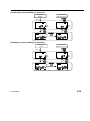
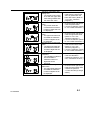
For signs (+/-)
Press the lower left or lower right key to switch the signs "+” ⇔ “-".
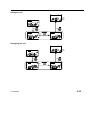
For numerical values
Pressing the lower left key, the display changes in the following order:
0→9→8→… →1→0.
Pressing the lower left key, the display changes in the following order:
0→1→2→… →9→0.
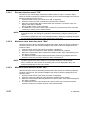
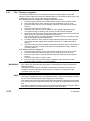
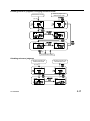
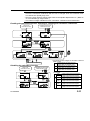
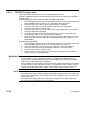
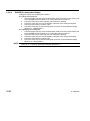
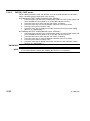
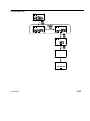
●Completing the numerical value editing
Press the upper right key to complete the numerical value editing.
After editing the numerical values, the previous setup widow will be restored.
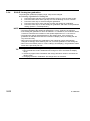
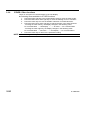
NOTE ・ If the last digit of resolution is "5", that of the numerical value changes in the order of "0
→5→0". Similarly if "2", in the order of "0→2→4→6→8→0".
・ Press the upper left key to cancel the setting.
・ The value is temporarily saved until completing each setting before moving the
numerical value editing. If canceled, it will be deleted.
3-6
No. 99MAH034B