1
32
YearbookFusion User's Manual
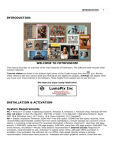
Users who have installed FotoFusion from the live web build will see a bundled content
window as show above. Users who have installed FotoFusion from a printable album
bundle will see the additional tab options, with content originating from several sources.
Click on each tab to see the additional content that is available to you. These items will
also display under the "free" tabs of the search hovers on the Create screen.
Also accessible under the Bundled Content list is a "Featured" tab, to show items that
may be of interest to you that are included with your license type, and a "Run As" tab, to
allow you to try out FotoFusion in another license type. The Run As option is useful if you
are using FotoFusion in trial mode, to determine what license level is right for you, or to
try out a higher license type if you are considering upgrading your license.
4.1.3
The Menu Bar
The Menu bar contains every feature available in FotoFusion. Almost all controls available
in the Menu are available by directly selecting (left and right-mouse click) items on your
2009