1
MODEL 3000 / ACCESS 4000 Programmer’s Manual - Floor List. Rev 3.00
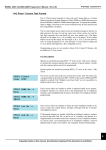
Floor List Programming
[MENU 2-3-4] p 1
(Access 4000 Only)
Floor List to
Alter: FL001
This screen allows a Floor List to be selected for programming. Pressing the up/
down arrow selects the last/next list.
FL001 T.Zone ->
WEEKDAY
This screen allows an optional TimeZone to be “attached” to this Floor List.
When a TimeZone is “attached”, the Floor List is only valid when the TimeZone
is valid. When the TimeZone is invalid, the list is assumed to contain no floors OR
the Floor List specified below will be used instead, if programmed. To select a
TimeZone press the right arrow key to scroll through all available TimeZones
alphabetically. Press the OFF key if you wish no TimeZone control of this Floor
List (The ON key may be used to change modes to allow a TimeZone to be
selected by number, if desired).
FL001
TZ001
TimeZone
FL001
FL008
Alt. List
This screen specifies which Floor List will be used instead of this Floor List
when an “attached” TimeZone is invalid. If no alternative Floor List is specified,
when the TimeZone goes invalid, no floors will belong to this list.
FL001
F001->
12345678
YnYnYYnn
These screens allow the actual floors that are to belong to this list to be specified.
A “Y” under the appropriate floor number indicates that the floor is included in
this list. A “n” under a particular floor number indicates that the floor is not
included in this list.
FL001
F001
90123456
nYnnYnnn
and so on .....
In this example, floors 1,3,5,6,10 and 13 are included in Floor List 1.
The Floor Number displayed at the start of the bottom line represents the first
Floor in the sequence.
ie. F009 indicates that Floor 9 is the first Floor in the sequence “90123456”.
Copyright exists on this manual. Unauthorised copying of this document is prohibited.
3. Lists
Floor Lists are referred to by their identification letters “FL”, for example FL018
is Floor List 18. There may be up to 64 Floor Lists in the largest Access 4000
system. Each Floor List is essentially a list of allowable floors allocated to this
list. Floor Lists can be used by programming where a list of floors needs to be
chosen. For example, a particular User Type may only be allowed access to
floors belonging to Floor List seven. FL007 may contain the floors 1,2,3,5,6,10
and 13. Therefore, that User Type is only allowed to select floors 1,2,3,5,6,10
and 13 after using the Lift Car Reader. Floor Lists may also be used for the purpose
of securing and unsecuring Floors.