1
Chapter 2
Installation and Configuration
5.
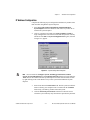
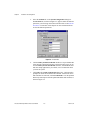
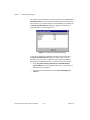
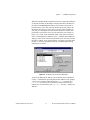
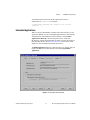
Select the IP Stack tab in the System Configuration dialog box.
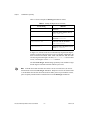
The IP Stack Tab, as shown in Figure 2-4, appears. Enter the Ethernet
parameters you will assign to the PXI controller. Refer to the Ethernet
Parameters section later in this chapter for more information about
each of the Ethernet parameters.
Figure 2-4. IP Stack Tab
6.
Click the Halt system if TCP/IP fails checkbox to stop LabVIEW RT
if the network connection fails when you boot the PXI system. If you
clear the Halt system if TCP/IP fails checkbox, LabVIEW RT starts
and runs startup applications you created, even if TCP/IP fails when
you boot the system.
7.
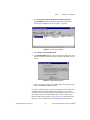
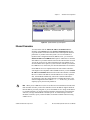
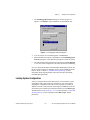
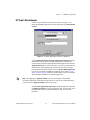
Click OK in the System Configuration dialog box. Click Yes when
prompted to reboot the RT Series PXI controller. After the RT Series
PXI controller has rebooted, select View»Refresh to view the updated
Remote System Explorer with the updated IP address and comment, as
shown in Figure 2-5.
RT Series PXI/CompactPCI Controller User Manual
2-8
www.ni.com