1
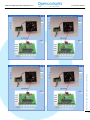
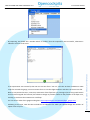
INSTALLATION AND USER’S MANUAL v1.0 B‐737 FLAP GAUGE By importing, we should see a window where it confirms that the importation was successful, otherwise it indicates us where is the error. If the importation was successful, then we can save our file as “sioc.ssi”, with this we have available our SIOC script for use with the gauge, no more remains for us to run the Flight Simulator and then run the sioc.exe file. Now we can proceed to test it, now every movement of the flaps lever (or pressing F7/F6 or the joystick button that we have assigned this function) the indicator change its position relative to the position of the flaps in FS, showing in each time that situation are such flaps. You can view a video of the gauge working here: www.opencockpits.com/uploads/flaps_gauge.wmv Following is the script, note that also includes the LE indicators for which you should change the numbers of inputs in line of yours: INSTALLATION AND USER’S MANUAL B‐737 FLAP GAUGE 7