1
Chapter 1: Xilinx Blockset
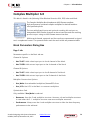
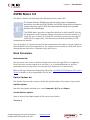
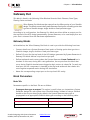
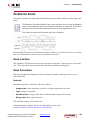
Reciprocal
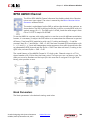
This block is listed in the following Xilinx Blockset libraries: Floating-Point, Math and Index.
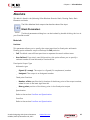
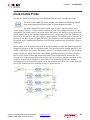
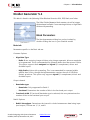
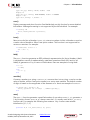
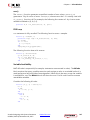
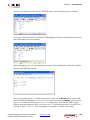
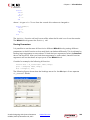
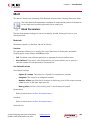
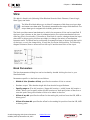
The Xilinx Reciprocal block performs the reciprocal on the input. Currently, only the
floating-point data type is supported.
Block Parameters
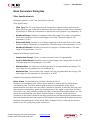
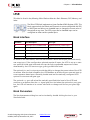
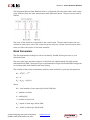
The block parameters dialog box can be invoked by double-clicking the icon in your
Simulink model.
Basic tab
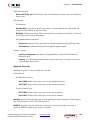
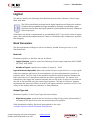
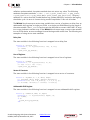
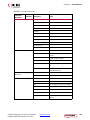
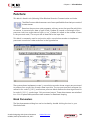
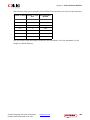
Parameters specific to the Basic tab are as follows:
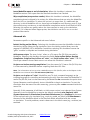
Flow Control:
•
Blocking: Selects “Blocking” mode. In this mode, the lack of data on one input channel
does block the execution of an operation if data is received on another input channel.
•
NonBlocking: Selects “Non-Blocking” mode. In this mode, the lack of data on one
input channel does not block the execution of an operation if data is received on
another input channel.
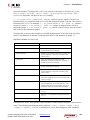
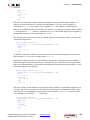
Optional ports
Input Channel Ports
•
Has TLAST: Adds a TLAST port to the Input channel.
•
Has TUSER: Adds a TUSER port to the Input channel.
•
Provide enable port: Adds an enable port to the block interface.
•
Has Result TREADY: Adds a TREADY port to the Result channel.
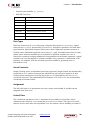
Exception Signals
UNDERFLOW: Adds an output port that serves as an underflow flag.
DIVIDE_BY_ZERO: Adds an output port that serves as a divide-by-zero flag.
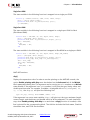
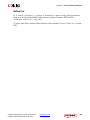
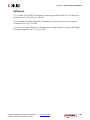
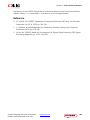
LogiCORE™ Documentation
LogiCORE IP Floating-Point Operator v7.0
Vivado: Designing with System Generator
UG958 (v2015.4) November 18, 2015
www.xilinx.com
Send Feedback
257