1
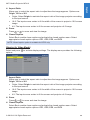
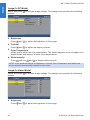
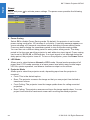
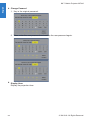
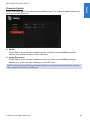
English 3M™ Mobile Projector MP410 Power Select and press options: to activate power settings. The power menu provides the following Power Saving Select Off to disable Power Saving mode. By default, the projector is set to enter power saving mode after 120 minutes of no activity. A warning message appears on screen showing a 60 seconds countdown before switching to power saving mode. Press any button during the countdown period to stop the power-saving mode. You can also set a different delay period to enter power saving mode. The delay period is the time you want the projector to wait without an input signal. Power saving can be set to 30, 60, 90, or 120 minutes. If an input signal is not detected during the delay period, the projector turns off. To turn on the projector, press the Power button. LED Mode Allows you to select between Normal or ECO mode. Normal mode operates at full power level. ECO mode operates at a lower power level which may provide longer LED life, quieter operation, and dimmer luminance output on the screen. Projector Mode Allows you to select the projector mode, depending upon how the projector is mounted. Front: This is the default option. 32 Rear: The projector reverses the image so that you can project from behind a translucent screen. Front Ceiling: The projector turns the image upside down for ceiling-mounted projection. Rear Ceiling: The projector reverses and turns the image upside down. You can project from behind a translucent screen with a ceiling-mounted projection. © 3M 2012. All Rights Reserved.