1
7. CALIBRATION AND QUALITY CONTROL
7.4. CALIBRATION COEFFICIENTS
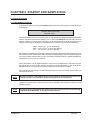
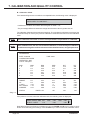
Calibration can be achieved directly by changing the calibration coefficients when they are known.
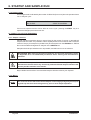
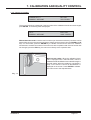
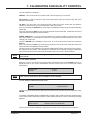
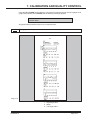
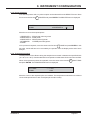
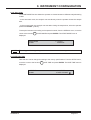
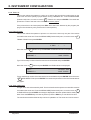
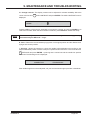
Move the cursor to function 2
COEFFICIENTS and press ENTER. The following menu is displayed:
COEFFICIENTS
HH:MM
1 CALIB. COEFF.
2 PRINT COEFF.
7.4.1. Changing calibration coefficients
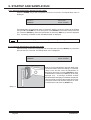
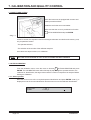
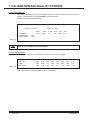
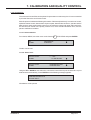
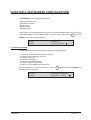
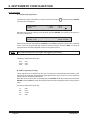
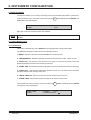
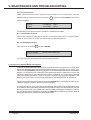
Move the cursor to function 1
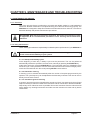
CALIB.COEFF. and press ENTER. The following menu is displayed
PASSWORD ? :
HH:MM
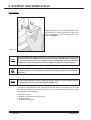
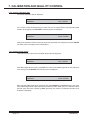
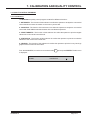
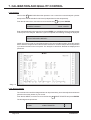
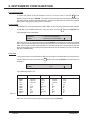
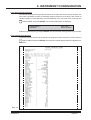
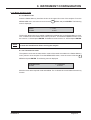
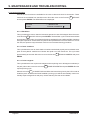
A specific password is requested to enter the function. Enter the password "123" or the userdefined password and press ENTER. The following menu is displayed:
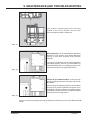
CALIB. COEFF.
HH:MM
1 WBC < 0.97 >
2 RBC < 0.98 >
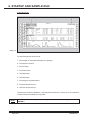
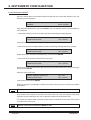
Enter the new coefficients for WBC and RBC, then move the cursor down to the HGB, HCT, PLT,
MPV, RDW and PDW positions and enter the required new coefficients.
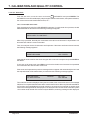
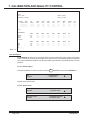
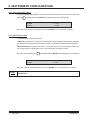
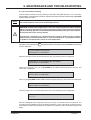
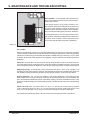
CALIB. COEFF.
HH:MM
3 HGB < 1.13 >
4 HCT < 1.03 >
CALIB. COEFF.
HH:MM
5 PLT < 0.95 >
6 MPV < 0.92 >
CALIB. COEFF.
HH:MM
7 RDW < 1.00 >
8 PDW < 1.00 >
When the required coefficients have been changed, press ENTER to record the setup. RDW and
PDW can be calibrated by means of calibration coefficients. These coefficients are incremented
to 1.00 by default. The RDW and PDW are calculated according to the below formulas :
* RDW result = RDW coeff x RDW measured
* PDW result = PDW coeff x PDW measured
- Press ENTER to modify one of both coefficients. Type in a new value and press ENTER to
validate.
NOTE:
075D0002-01
PDW is not available in the United States.
Page 7/9