1
TDMA User Manual
Appendix
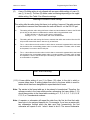
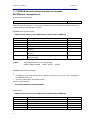
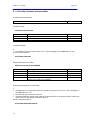
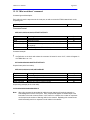
19. Send data packet to a specified radio or broadcast.
Command general description:
Addressee is a local radio or a remote radio
Remote
Ignores delimiter characters in the data packet. This command is suitable for ‘random’ binary data.
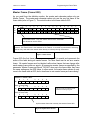
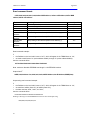
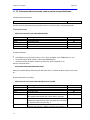
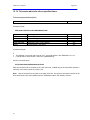
Command format:
Send data packet to a specified radio as immediate data
0xDD,0x##0x##0x##,0xdata packet length,####(data),
where 0x##0x##0x## is different from local radio serial number and it is not 0xFF0xFF0xFF;
broadcast data packet and send it as assigned data
0xDD,0x##0x##0x##,0xdata packet length,####(data),
where 0x##0x##0x## is local’s radio serial number;
or broadcast a data packet and send it as immediate data
0xDD,0xFF0xFF0xFF,0xdata packet length,####(data).
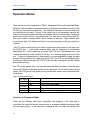
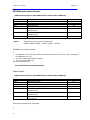
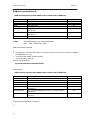
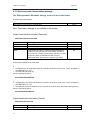
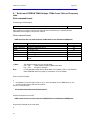
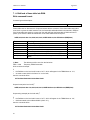
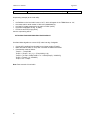
Field name
0xDD
0x## 0x## 0x##
0xdata packet
length
####(data)
Meaning/format
Delimiter byte (hex value)
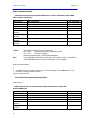
Destination radio’s 3 byte address. There are three options
available:
•
This address is something different from local radio serial
number and it is not ‘0xFF0xFF0xFF’. In this case the
command will be sent as immediate data and will be
addressed to a specified remote radio only.
•
This address is local’s radio serial number. In this case
the command will be sent as assigned data and will be
addressed to all remote radios (broadcast).
•
This address is ‘0xFF0xFF0xFF’. In this case the
command will be sent as immediate data and will be
addressed to all remote radios (broadcast).
Number of data bytes to be sent
Data packet in hex format
User adjustable
Yes
Yes
Yes
Yes
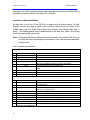
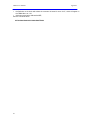
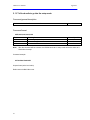
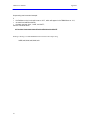
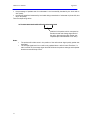
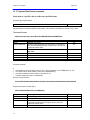
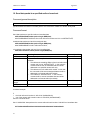
Command example:
If
•
•
the local radio serial number is ‘900-1234’ (0x890x590x12);
one of the remote radio’s serial number is ‘900-5678’ (0x890x6A0x6E)
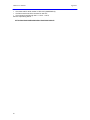
then the command will be:
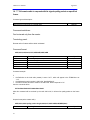
Send ‘123456789A’ data packet to the remote radio with serial number ‘900-5678’ as immediate data
0x770x890x6A0x6E0x0A0x010x020x030x040x050x060x070x080x090x0A
91